


















Getting your Singapore passport photo right the first time saves you from the frustration of a rejected application. The Immigration and Checkpoints Authority (ICA) sets clear rules on dimensions, head size, and print quality — and getting it wrong means delays. This guide explains what you need to know and shows how PicToPassport helps you create a compliant photo for free, entirely in your browser.
Why Singapore passport photos get refused
Photo issues are one of the most common reasons Singapore passport applications get delayed. Wrong dimensions, a non-white background, or using glossy paper instead of matte can all lead to rejection. Sorting out the details before you submit saves you time and extra trips to the ICA office.
Official Photo Size
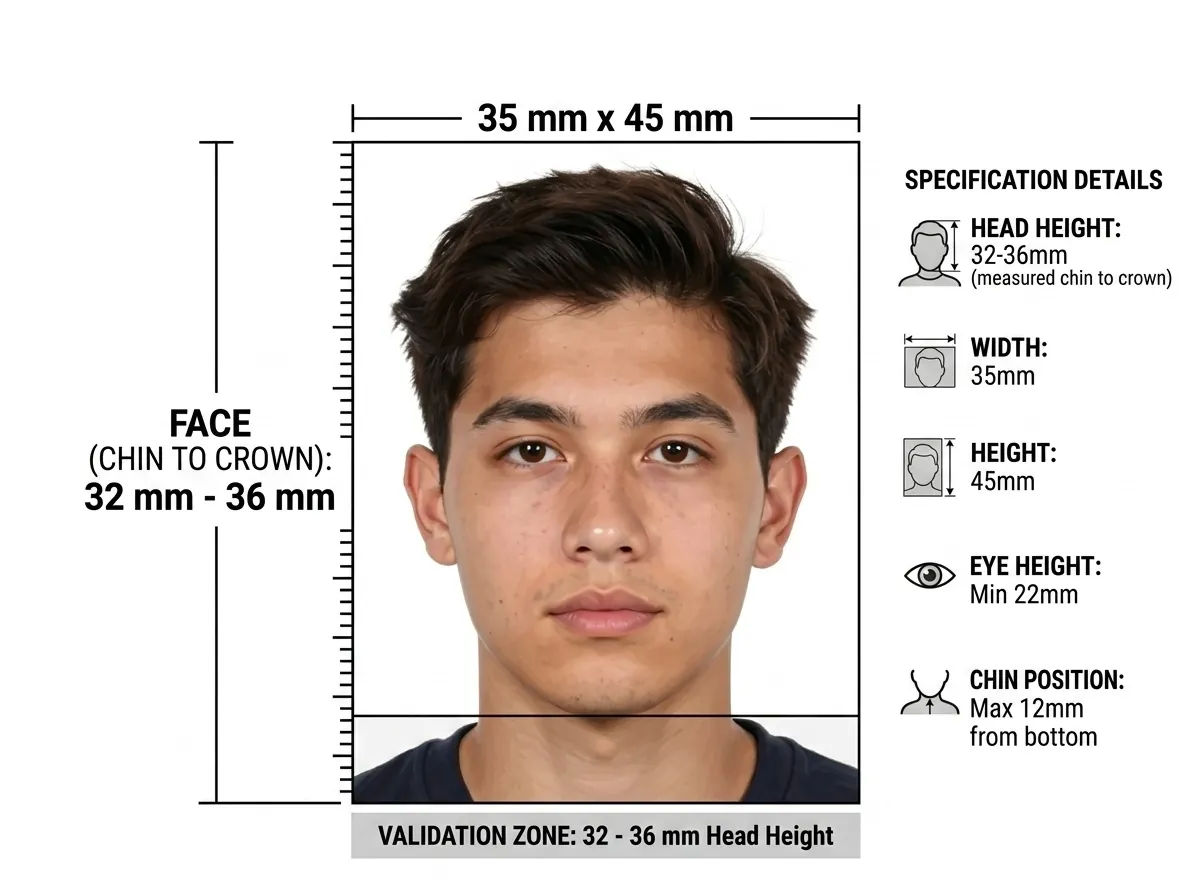
The standard Singapore passport and visa photo size is 35 mm wide × 45 mm tall. The head must measure 25–35 mm from chin to crown. For online visa applications, the photo must be 514 × 400 pixels in JPEG format, approximately 150 KB. Make sure you use the correct format for your application type. Always verify with the official Immigration and Checkpoints Authority before submitting.
Upload portals measure the file in kilobytes, and an oversized image is rejected outright: Compress Image to KB
NRIC photo requirements: ICA's 35 × 45 mm rule
The NRIC, work permit and pass use the same 35 × 45 mm photograph shown above, so the measurements do not change — what differs is the context. ICA wants the picture taken within the last 3 months, printed matt rather than glossy, with no headgear unless it is worn for religious or racial custom and does not hide the face. Nothing in the frame varies between the three documents, so one PicToPassport capture covers a passport renewal, an NRIC registration and a work pass application.
Background and Lighting
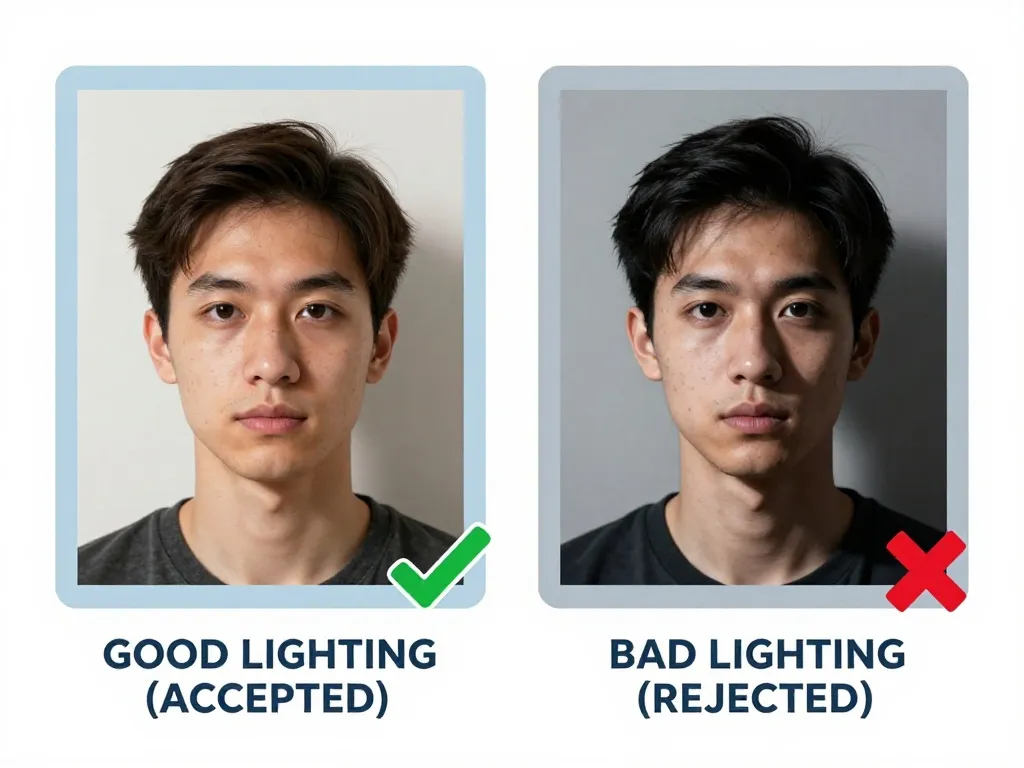
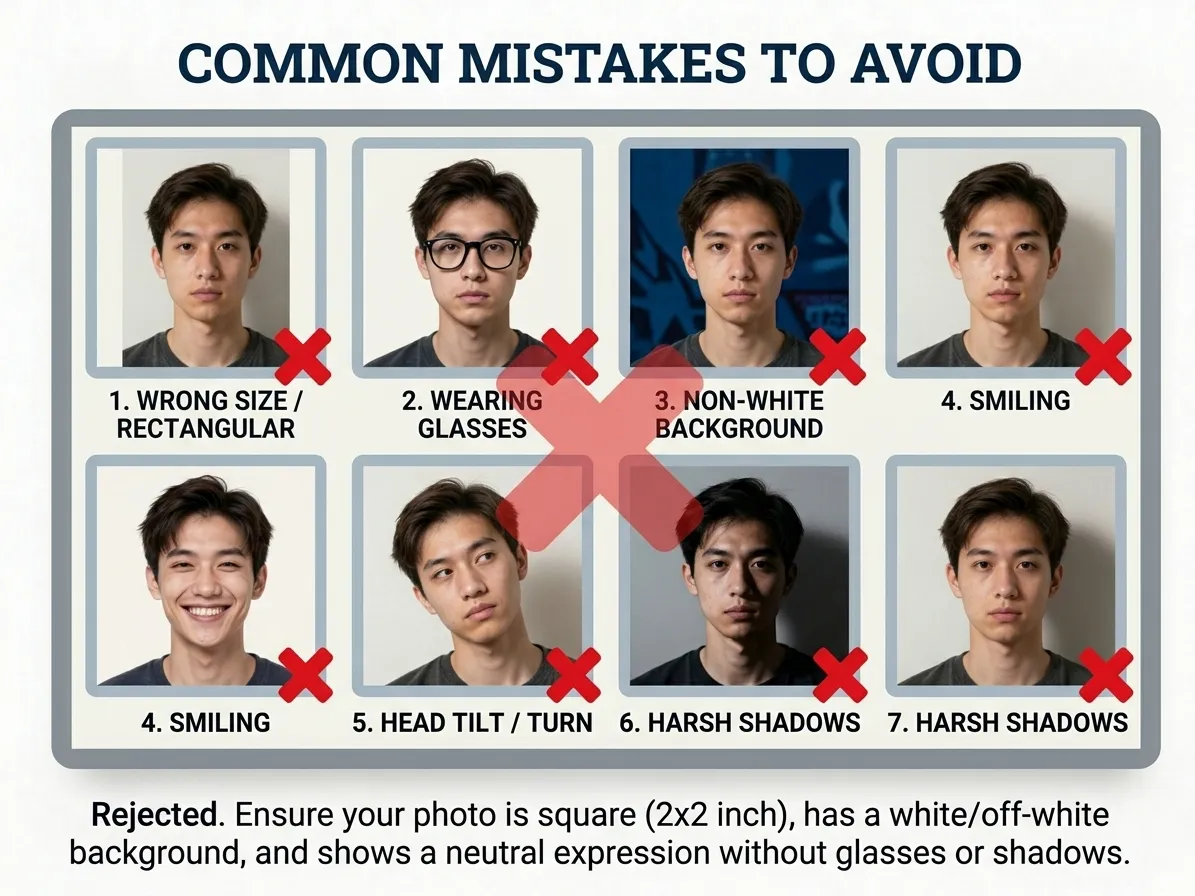
A plain white background is required for both passport and visa photos. The background must be free of patterns, textures, shadows, or objects. Lighting should be even across the face with no harsh shadows. The photo must be sharp and clear with good quality.
Expression and Pose
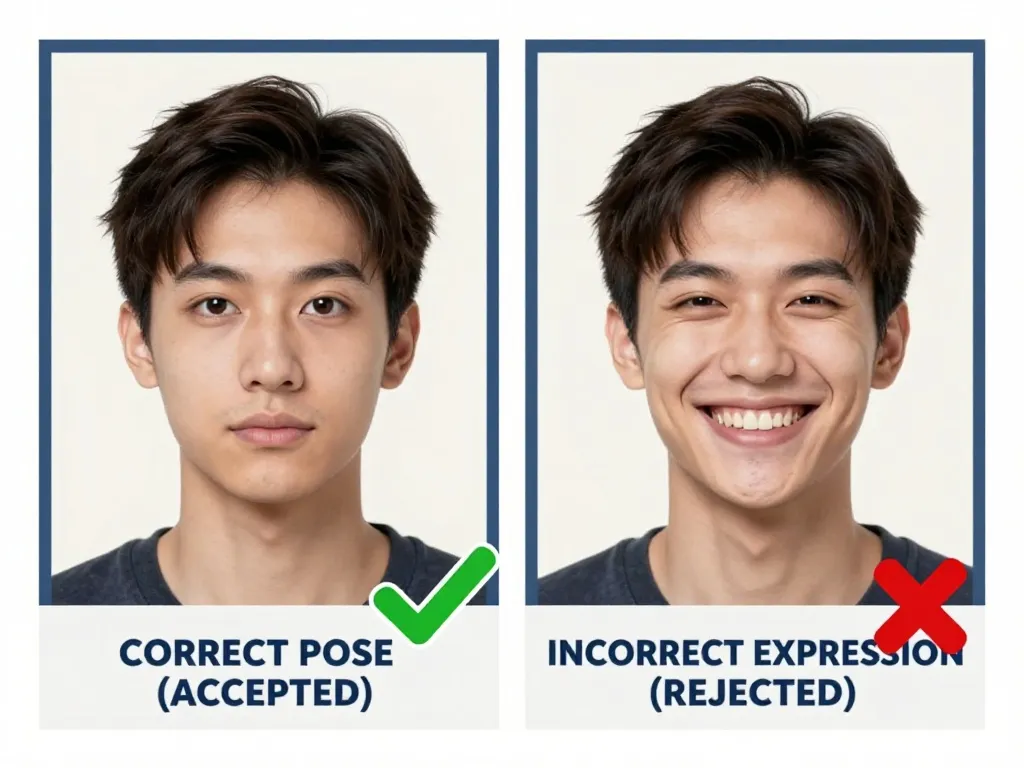
Singapore keeps the pose simple and strict: full face visible in a front view, mouth closed in a neutral expression, eyes open and looking straight into the lens. Head coverings are allowed for religious reasons only, and the face must read clearly beneath them. The picture also has to be sharp — a soft or motion-blurred frame is rejected even when every measurement is right.
Glasses and Accessories
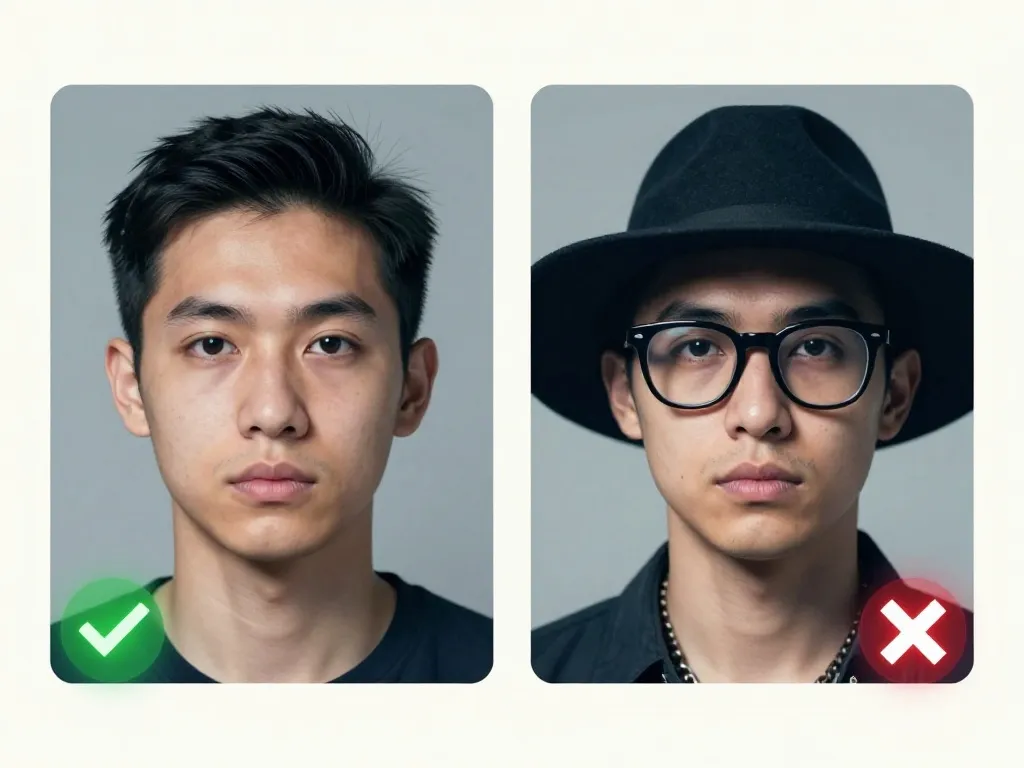
Head coverings are permitted for religious reasons only. The full face must remain visible from chin to forehead. No hats, caps, or fashion headwear are allowed. The face should be free of any obstructions. The photo must be printed on matte paper — glossy finishes are not accepted.
Face Visibility
ICA gives a band, not a percentage: the head must measure 25 mm – 35 mm from chin to crown on the 35 mm × 45 mm print. A head at 40 mm pushes the crown off the sheet; one at 22 mm leaves a face too small to identify at immigration. Digital routes carry their own frame — an online visa photo is 514 × 400 pixels, JPEG, roughly 150 KB — so compose twice.
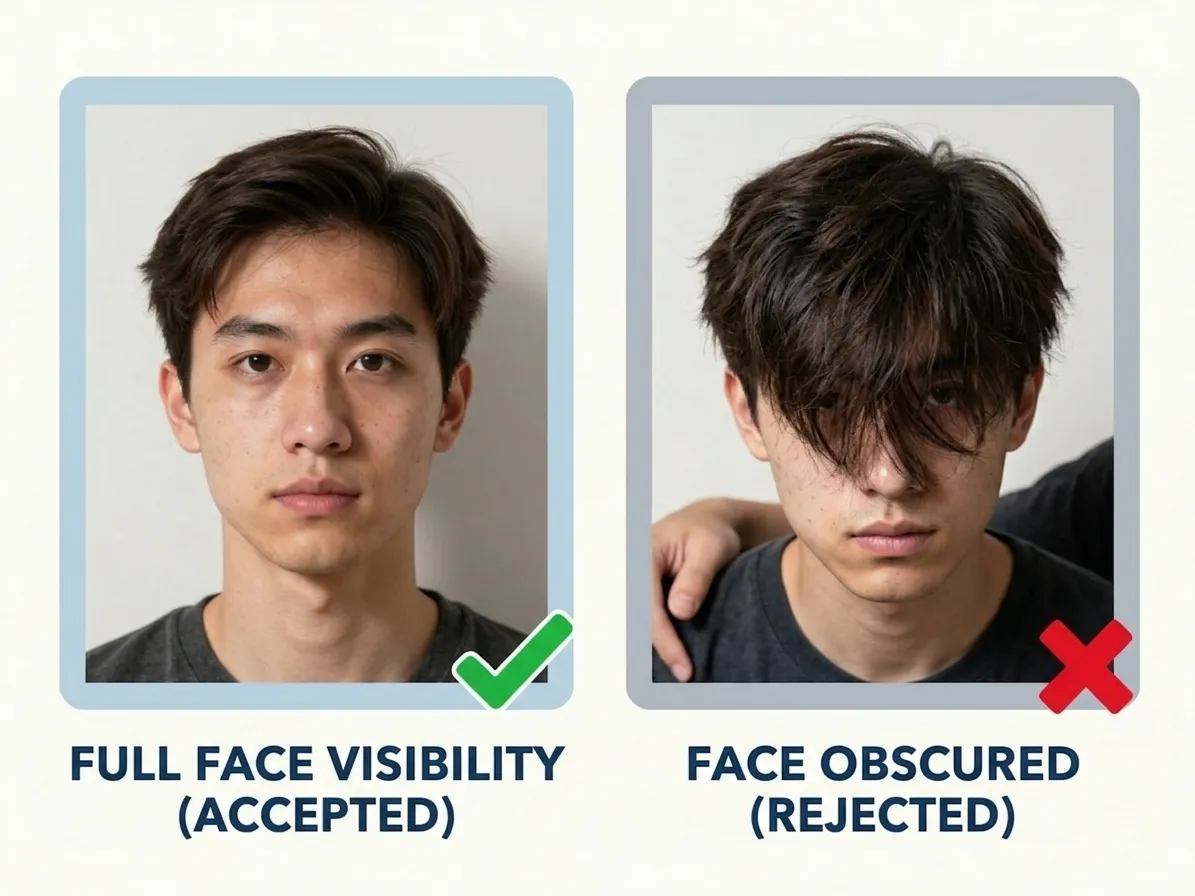
Photo Recency
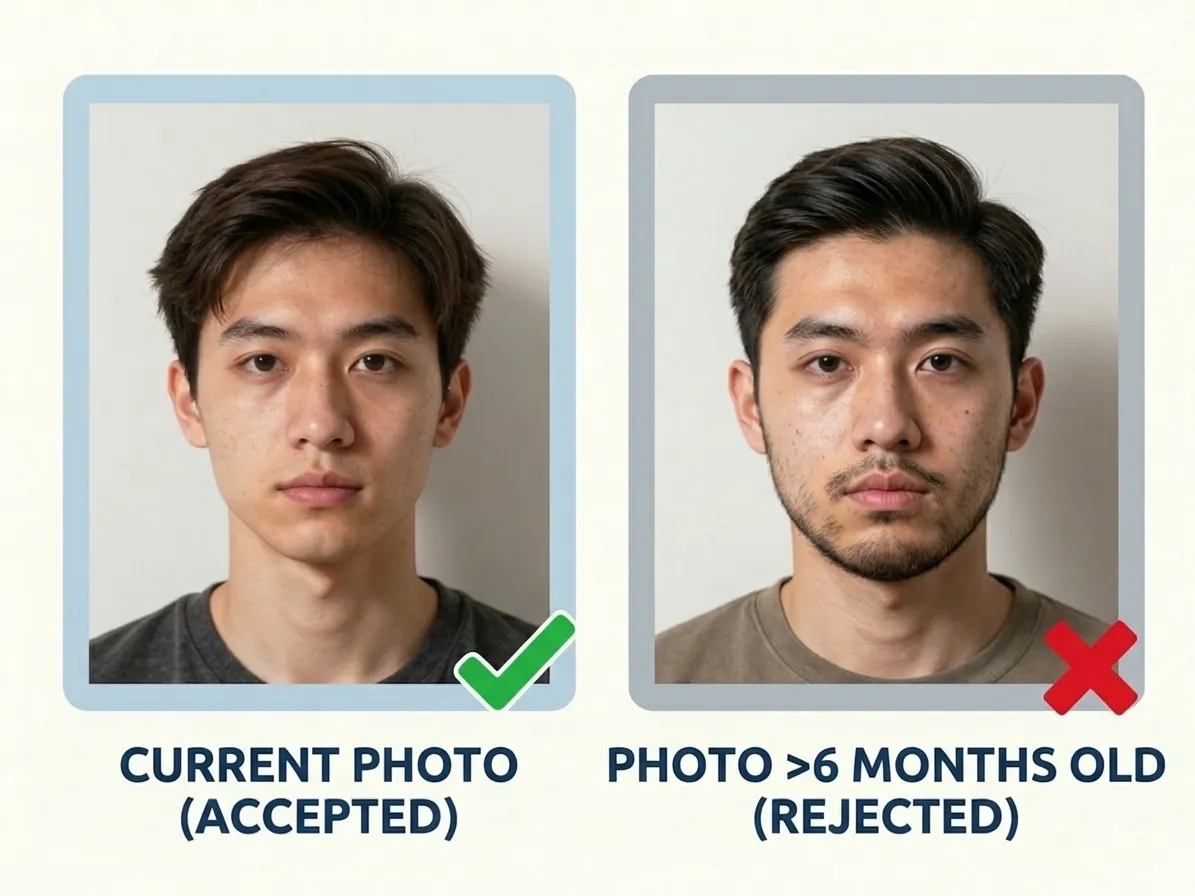
Three months. That is how long a Singapore photograph stays valid, and it is shorter than most applicants expect — a picture that passed a visa office last year will not pass ICA now. The rule also bites on print quality: the photo must be on matt paper, never glossy, and it must show current appearance. Re-shoot for each application instead of reusing a glossy booth print from a drawer.
How Many Copies You Get
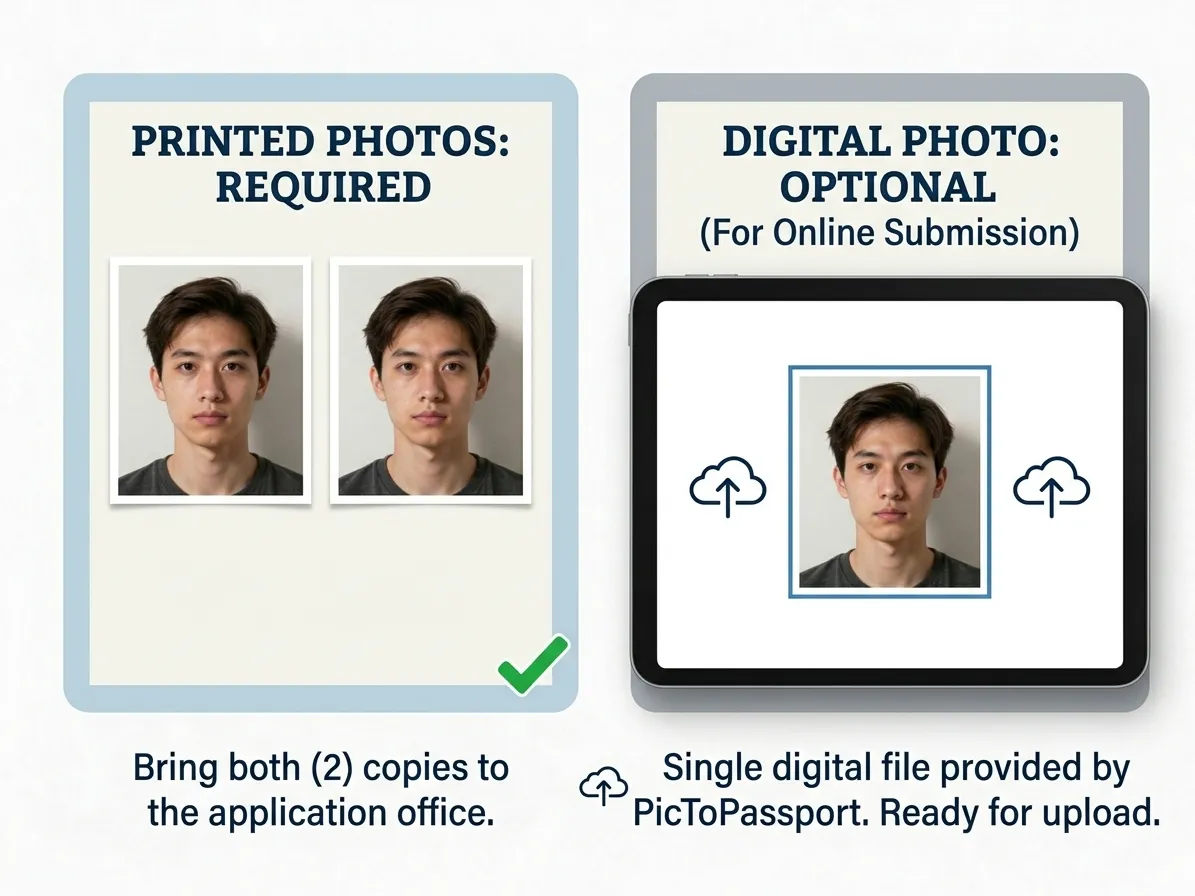
Singapore passport and visa applications each require just 1 photo. When you use PicToPassport, you receive a digital file sized exactly for the 35 × 45 mm format plus a print-friendly layout with multiple copies on a single page. The digital file can be uploaded directly or printed on matte paper at a photo shop.
Common Mistakes to Avoid
The most frequent reasons for rejection are wrong dimensions, using glossy paper instead of matte, photos older than three months, and a non-white background. Other issues include tilting the head, smiling, having hair cover the face, or submitting a blurry photo. Always double-check the Singapore passport photo requirements before submitting.
If the application wants a format your phone did not save, convert it before you upload: Convert Image Format
Baby Passport Photos
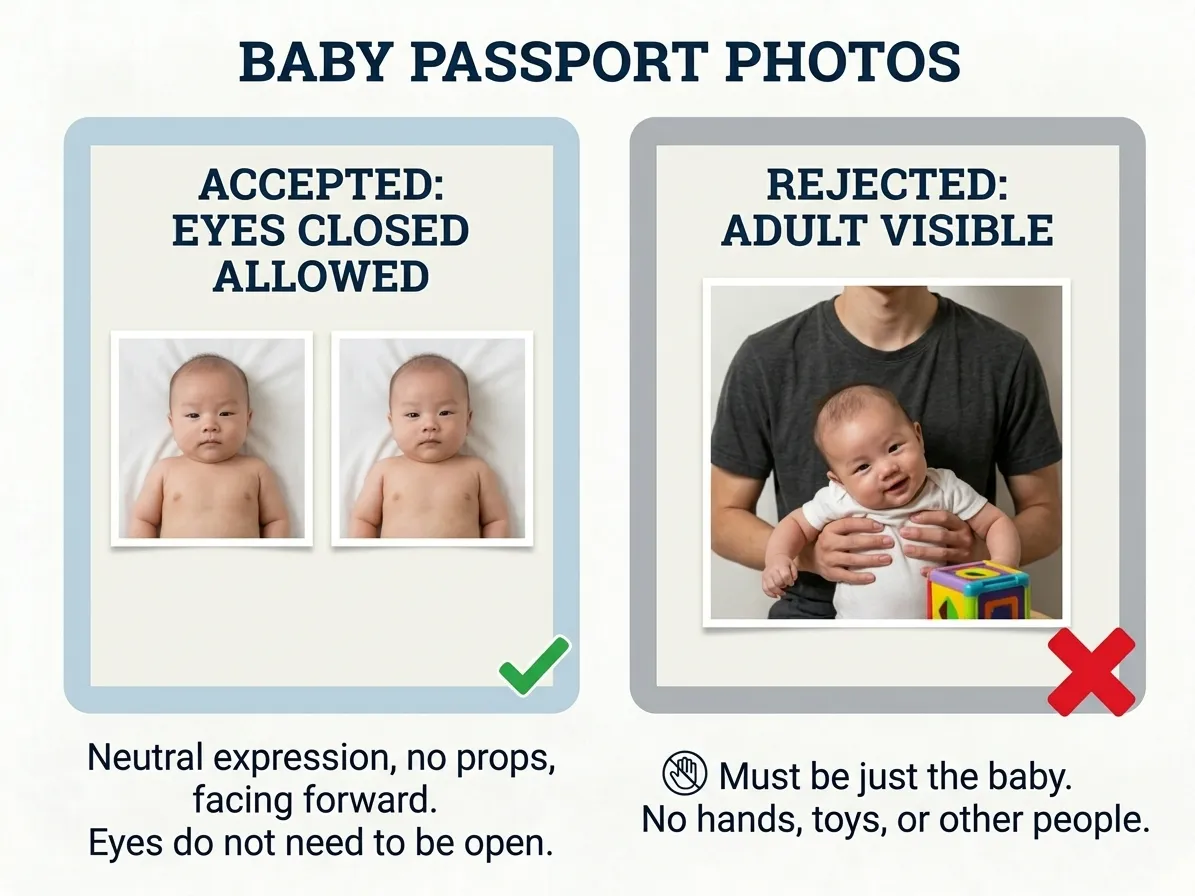
Singapore’s published infant rule is short: the baby’s eyes must be open. Everything else follows the adult frame — 35 mm × 45 mm, white background, head measuring 25 mm – 35 mm from chin to crown, printed on matt paper. Wait until the child is awake and calm, lay them on a white sheet, shoot from directly above in soft daylight, and keep every supporting hand out of the picture.
Expect a few attempts before one passes, and a tool built for babies makes the first count: Baby Passport Photo Maker
Using PicToPassport
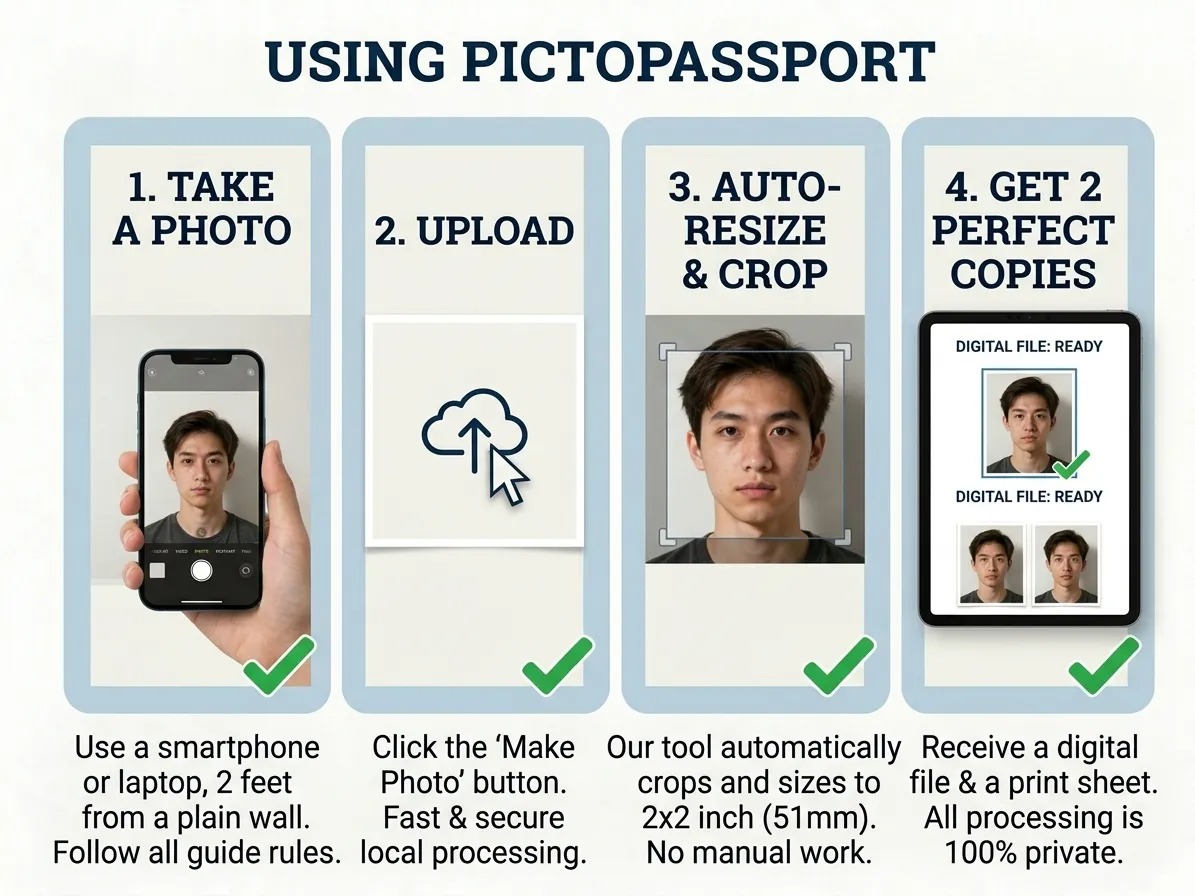
ICA's frame is 35 mm × 45 mm, and PicToPassport fills it free in your browser, keeping the photo on your device. Behind the head the background stays plain white with no patterns or shadows, head height measures 25 mm – 35 mm from chin to crown, and the face is front-on and fully visible. Output covers both routes: 1 photo on matt paper for a passport or visa, plus the 514 × 400 px JPEG of about 150 KB for an online visa — none of it uploaded.
Get Started in Minutes
ICA charges S$70 for an online application and S$80 if applied for at a counter, with about 1 to 2 weeks to process and up to 4 weeks if further checks are needed. Your photo can be done in minutes: PicToPassport runs free in your browser, sizes the frame, and keeps the picture private on your device — nothing ever reaches a server.

