


















Getting your Philippine passport photo right the first time saves you from the frustration of a rejected application. The Department of Foreign Affairs (DFA) checks every detail — from dimensions and background to clothing and photo quality. This guide explains what you need to know and shows how PicToPassport helps you create a compliant photo for free, entirely in your browser.
Why Filipino passport photos keep failing
Photo issues are one of the most common reasons Philippine passport applications get delayed. Wrong dimensions, a non-white background, wearing sleeveless clothing, or using a photo from a Photo-Me machine can all lead to rejection. Sorting out the details before you visit the DFA saves you time and extra trips.
Filipino passport photo size for a DFA application
The standard Philippine passport photo size is 35 mm wide × 45 mm tall. For visa applications, the required size is 50 mm × 50 mm (square format). The image of the applicant should occupy approximately 70–80% of the photo, with at least 8–10 mm of space between the top of the photo and the crown of the head. Always verify with the official Department of Foreign Affairs before submitting.
If you are moving between two sizes, resize rather than crop and hope: Photo Resizer
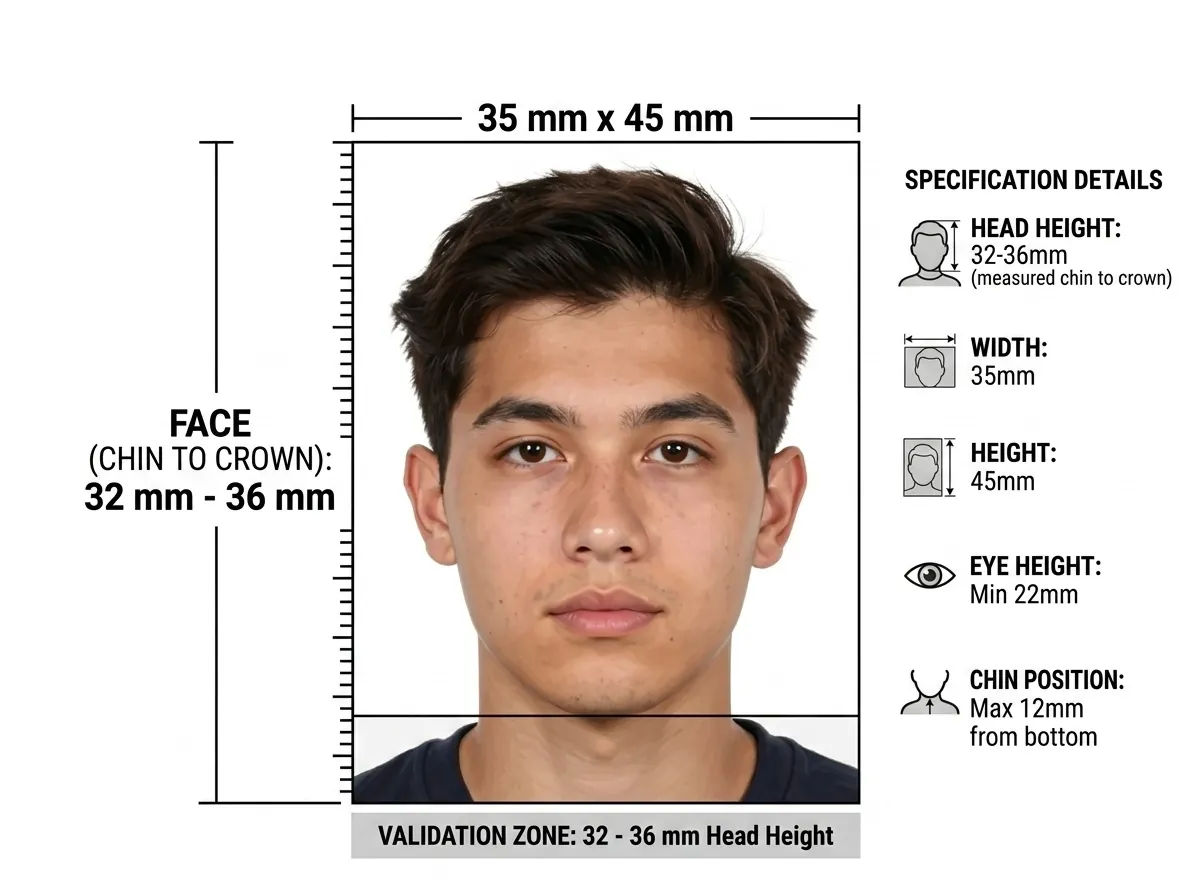
Filipino passport photos on a plain white background
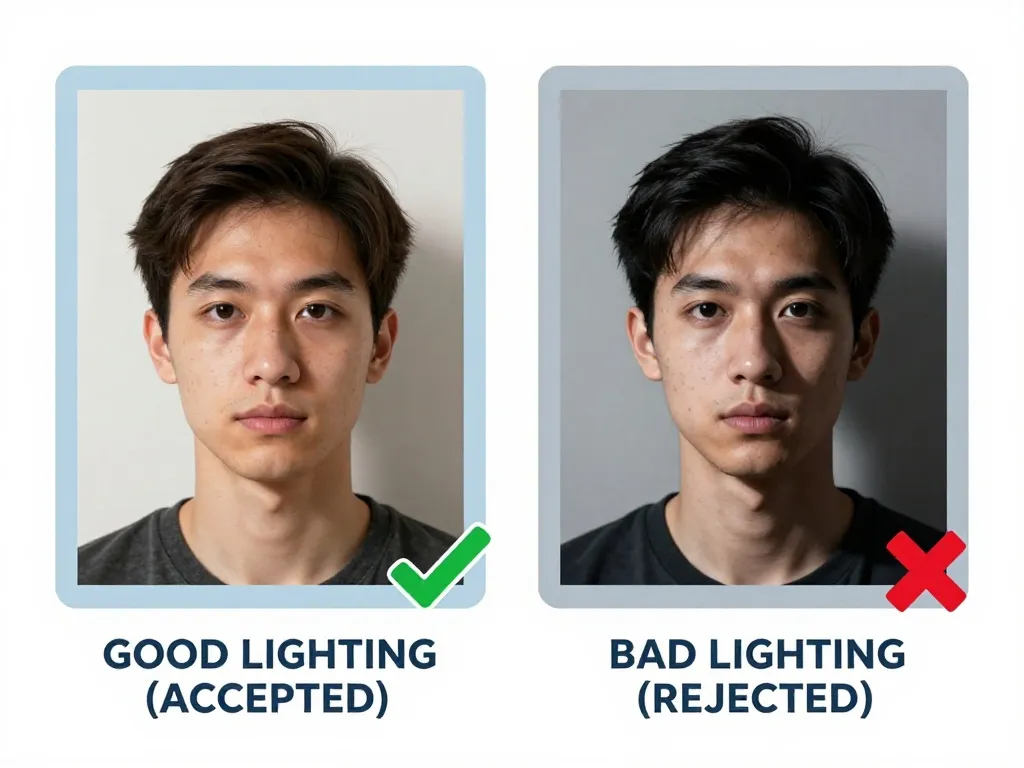
A plain white background is required for Philippine passport photos. The background must be free of patterns, textures, shadows, or objects. For visa applications, a plain or off-white background is accepted. Lighting should be even across the face with no shadows, glare, or flash reflections.
Shooting somewhere you do not control? Cut the original backdrop out afterwards: Background Eraser
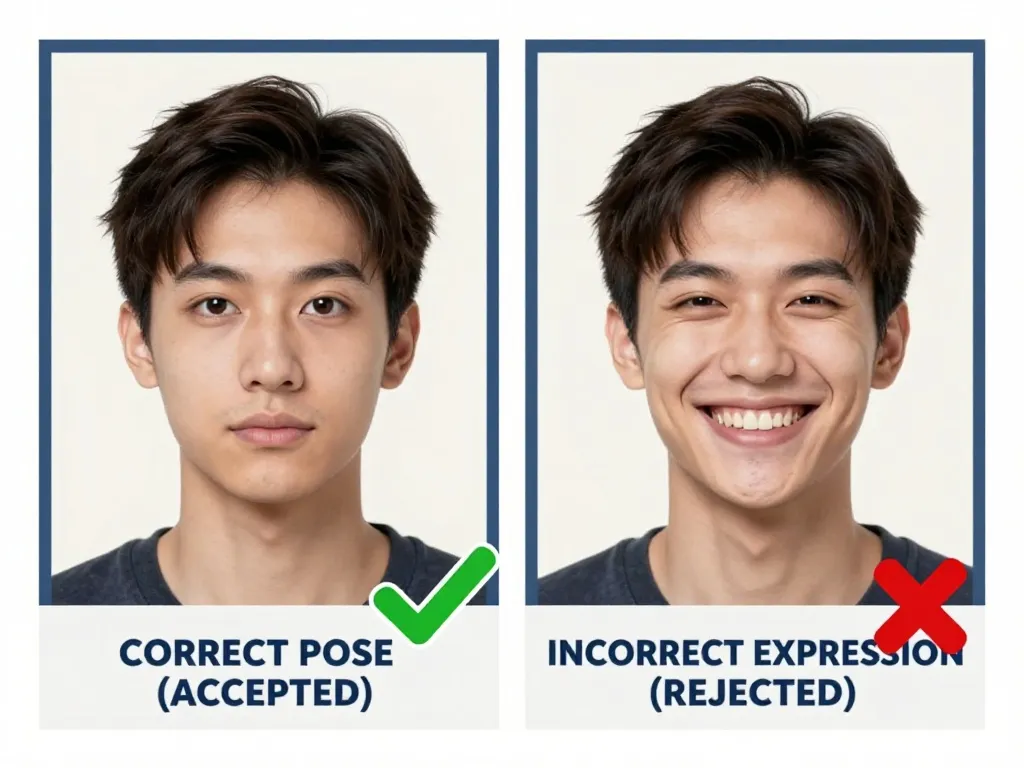
Filipino passport expressions stay neutral, mouth closed
DFA photography rules ask for a neutral expression with the mouth closed, the head straight and the full face shown with both ears visible. Prescription glasses are allowed, but a single glare across a lens ends the picture; tinted lenses do not pass at all. Headgear that covers the hair or hairline is refused, and the dress code matters too — collared attire, no sleeveless tops.
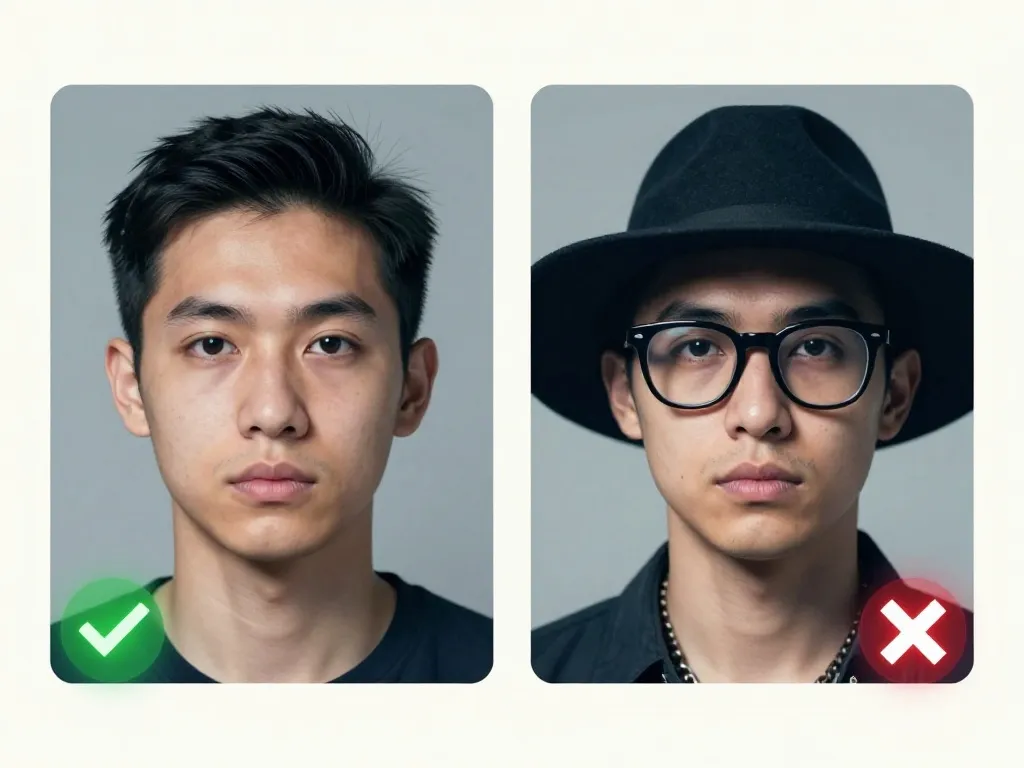
Filipino passport photos may keep glasses, but no glare
Prescription glasses are acceptable for Philippine passport photos, but there must be no glare on the lenses and the eyes must be clearly visible. If you normally wear prescription glasses, a hearing device, or a wig, you should wear them for the photo. Dark glasses and non-prescription tinted lenses are not allowed. Contact lenses for medical reasons are permitted if they do not change your natural eye colour.
Face fills 70 to 80 percent of a Filipino photo
The DFA proportion is exact: the face occupies 70–80% of the 35 mm × 45 mm print, with only 8 mm – 10 mm of clear margin above the head. Below that margin the crown is cropped; well above it the face shrinks and the officer cannot read the features. Visa photographs switch to a square 50 mm × 50 mm sheet, so do not reuse the passport crop without recomposing it.
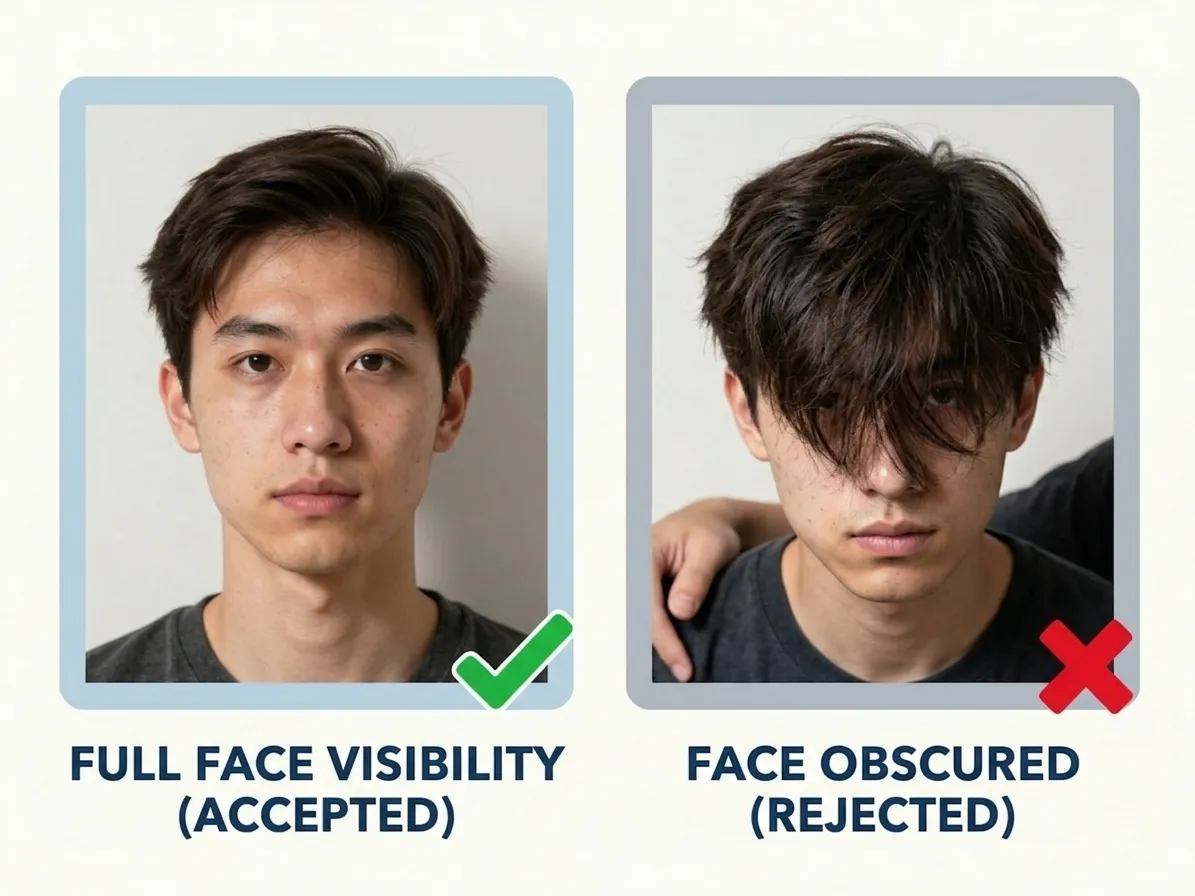
Clothing Requirements
Philippine passport photos have specific clothing rules. You must wear decent attire with a collar. No short sleeves, sleeveless tops, or plunging necklines for women. Normal street attire is required for visa applications — uniforms are not accepted except for religious attire worn daily. Headgear that obscures the hair or hairline is not allowed.
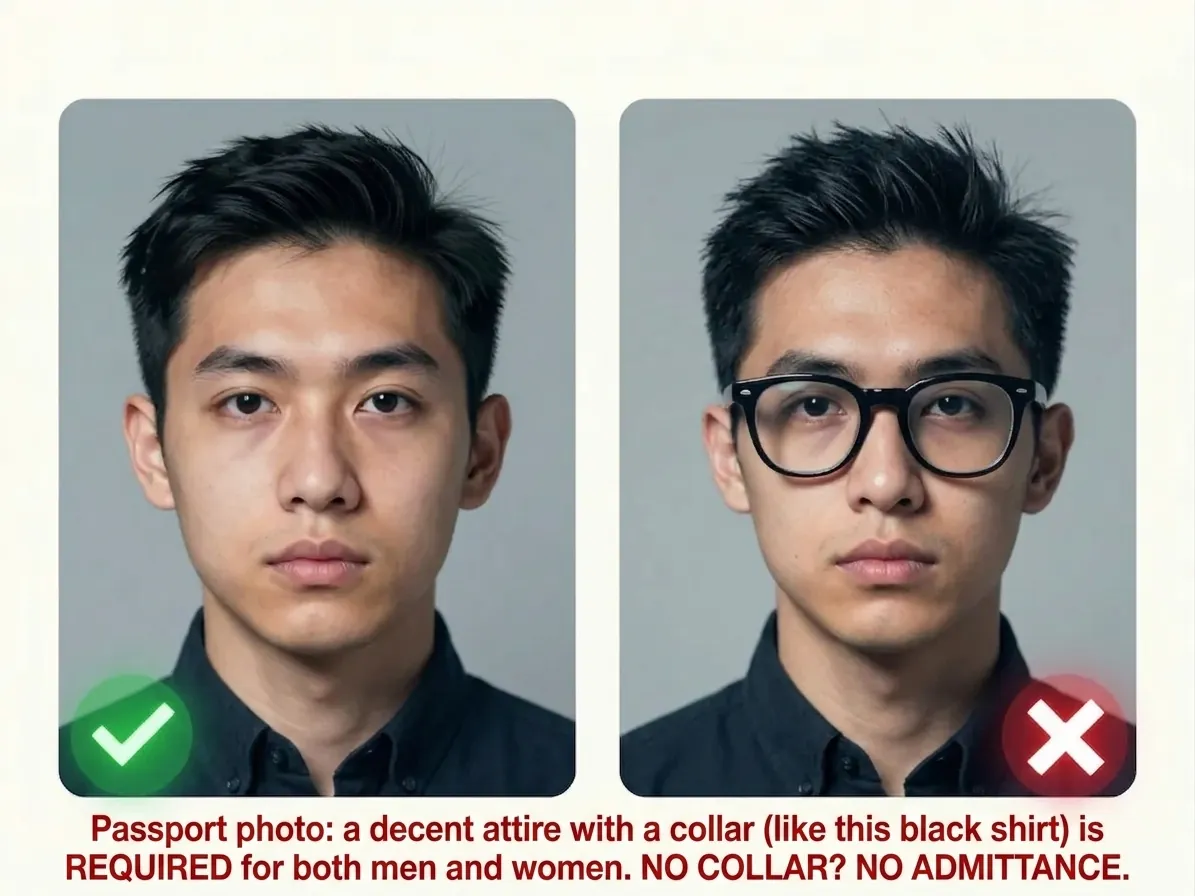
Taken in the last 6 months for a Filipino passport photo
Within six months is the Philippine window, and the photo must show your current appearance in colour — a scan from an older application is out even if you have not changed. One more trap sits here: Photo-Me booth prints are not accepted for passport applications. Only a photo studio will do, so time the visit for the week you complete your DFA appointment rather than weeks ahead of it.
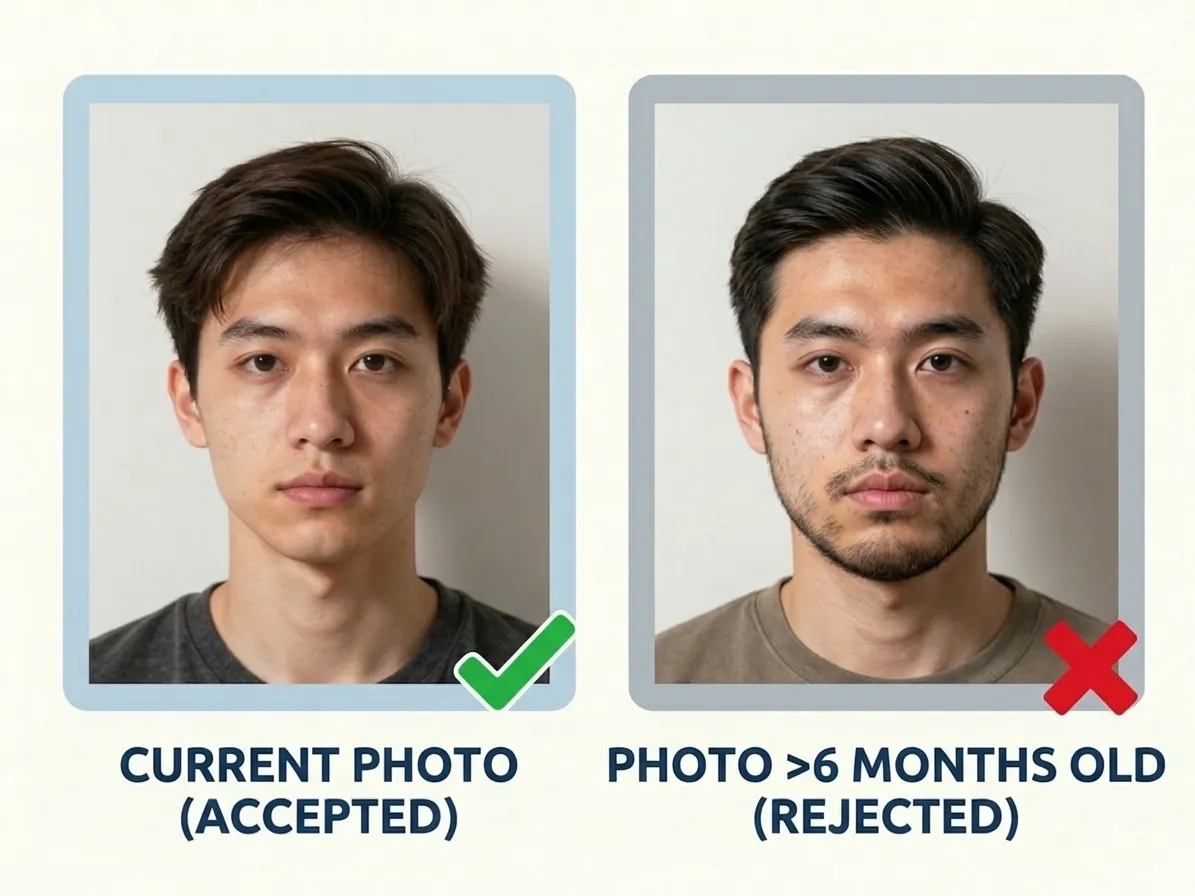
Three copies for a Filipino passport, two for a visa
Philippine passport applications require 3 photos, while visa applications require 2 photos. When you use PicToPassport, you receive a digital file sized exactly for the 35 × 45 mm format plus a print-friendly layout with multiple copies on a single page. The digital file can be uploaded directly or taken to a photo studio for professional printing on good quality matte photo paper.
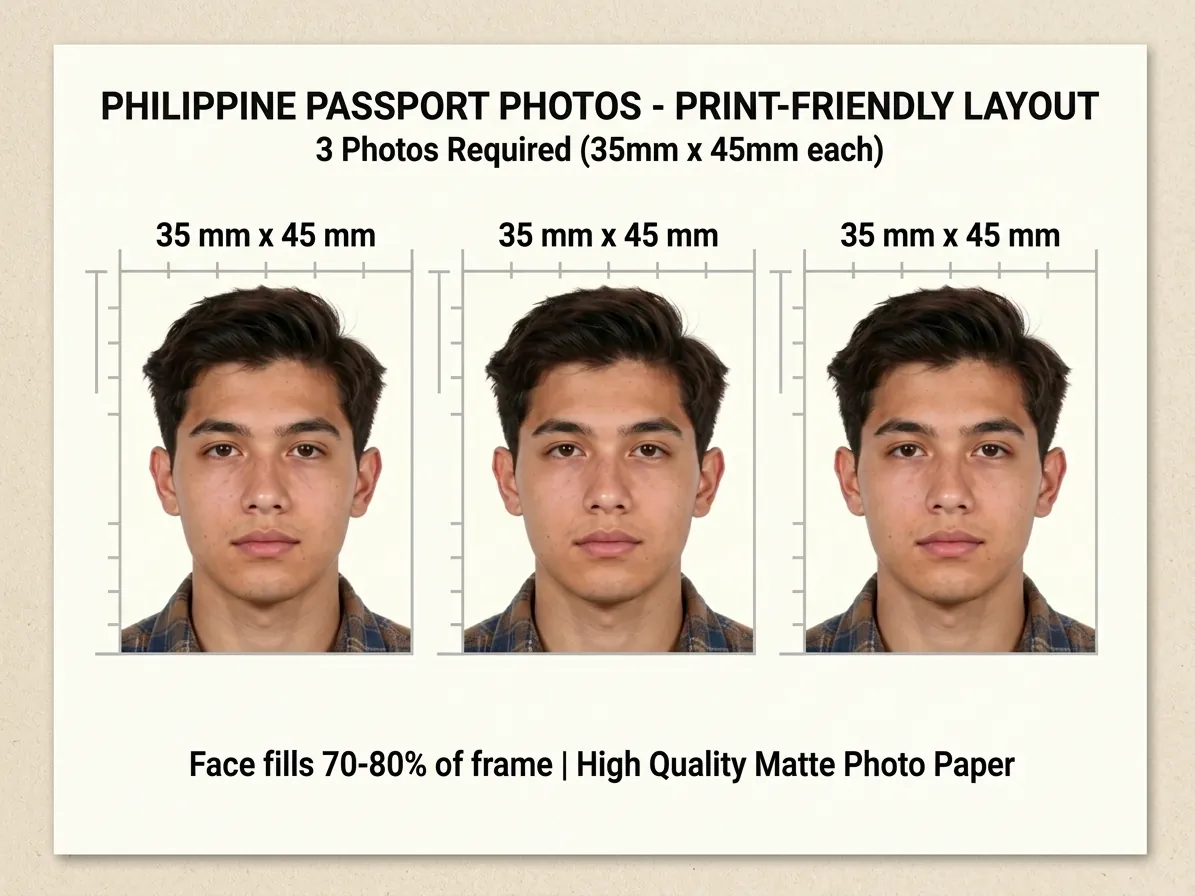
Avoid Filipino passport photo mistakes
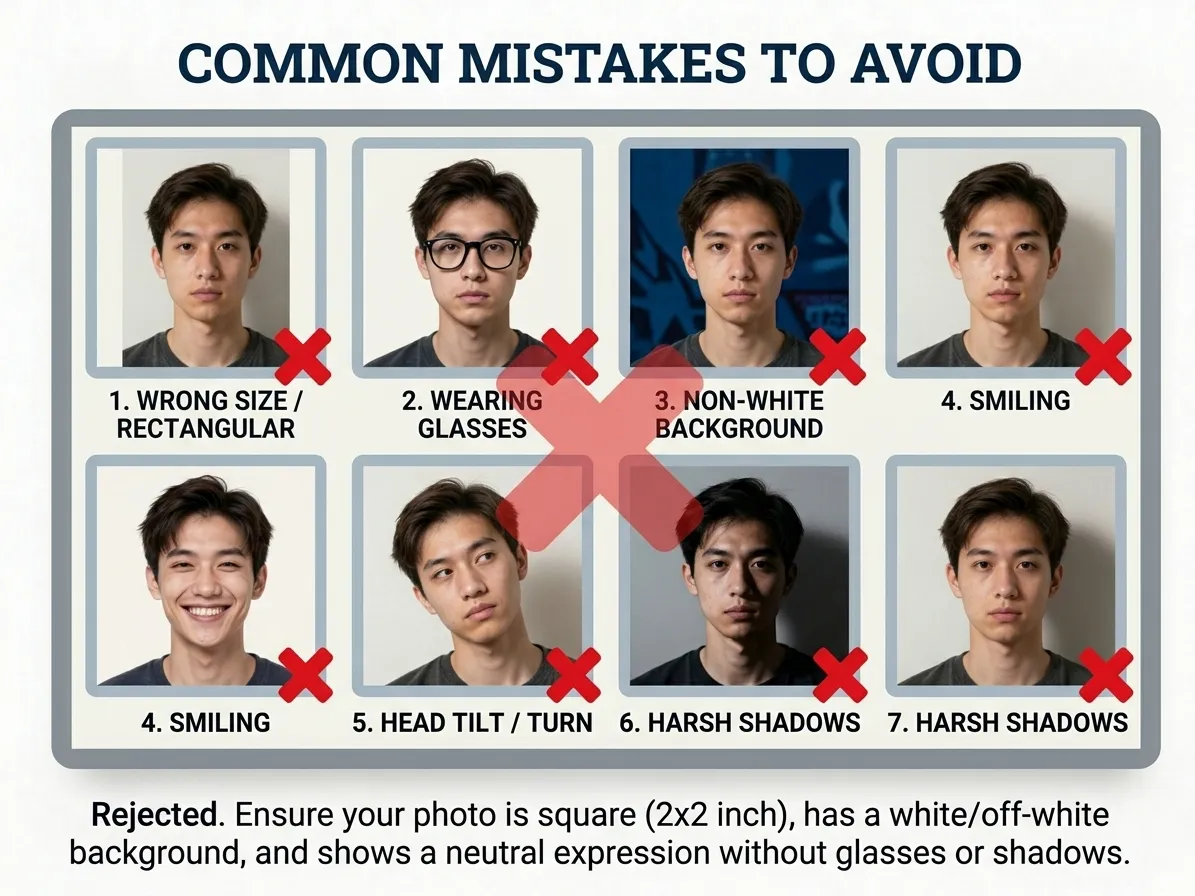
The most frequent reasons for rejection are using a Photo-Me machine, wearing sleeveless clothing, wrong dimensions, a non-white background, and wearing dark glasses or tinted lenses. Other issues include tilting the head, smiling, having hair cover the face, or using a photo that is too old. Always check the Philippine passport photo requirements before visiting the DFA.
If the application wants a format your phone did not save, convert it before you upload: Convert Image Format
Filipino newborn photo guide for families
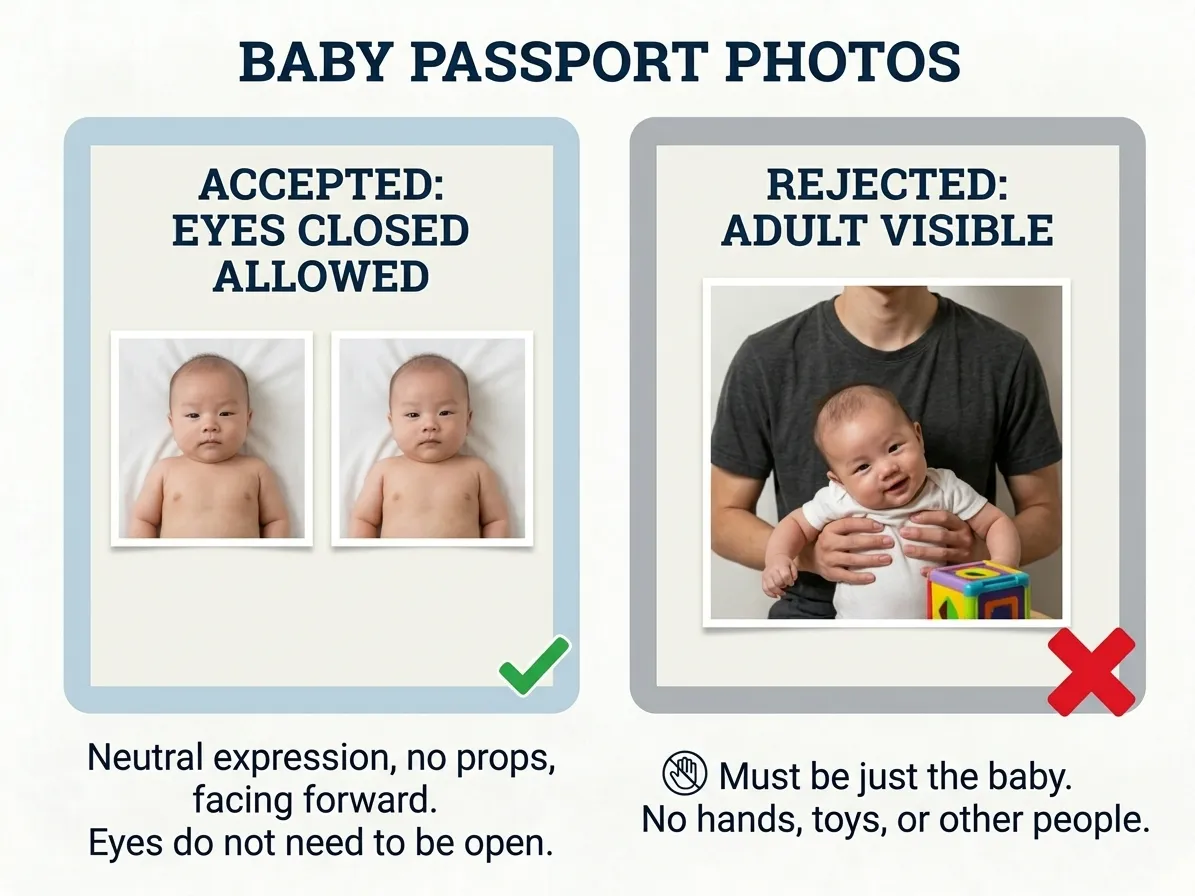
No infant exception appears in the DFA rules, so a baby is framed to the adult spec: 35 mm × 45 mm on plain white, face filling 70–80% with 8 mm – 10 mm clear above the head. Both ears should show, which is the awkward part — tip the head square, not resting to one side. Shoot from above on a white sheet in daylight, and keep hands, toys and pacifiers outside the picture.
Make PicToPassport work for Filipino passport photos
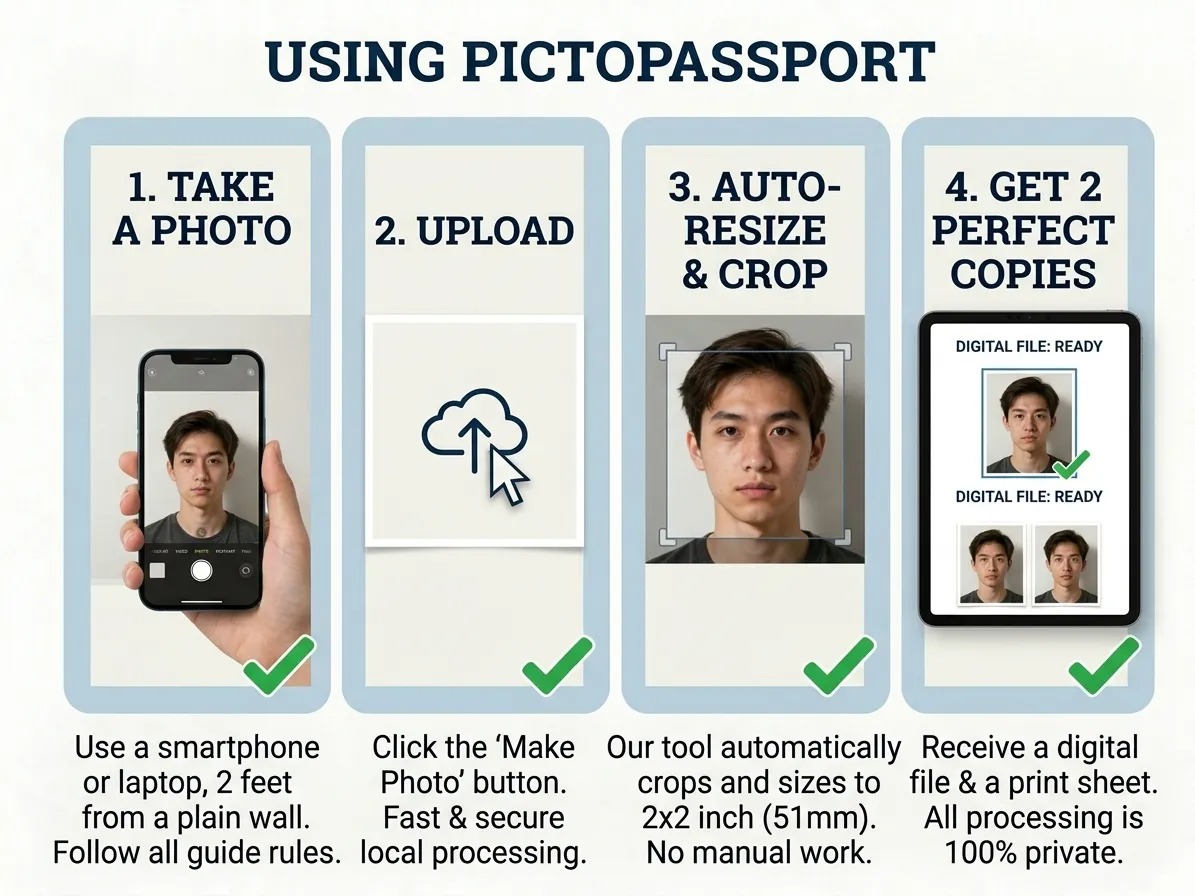
Filipino passport photos are 35 mm × 45 mm and visa photos 50 mm × 50 mm — PicToPassport crops to either, free and browser-based, with the image kept on your device. The passport background is plain white, the face fills 70–80% of the frame with 8 mm – 10 mm of margin above, and both ears show. Output is a colour studio print with no red-eye: 3 photos for a passport, 2 for a visa, and none of them from a Photo-Me booth, with nothing uploaded.
Make Filipino passport photos on your lunch break
The Philippine DFA charges ₱950 regular and ₱1,200 expedited, with regular processing at 12 working days and expedited at 6 to 7 working days. Make the 3 passport photos before either clock starts: PicToPassport runs free in your browser, holds the plain white background, and produces print-ready output without sending your picture anywhere — it stays private on your device.

