

















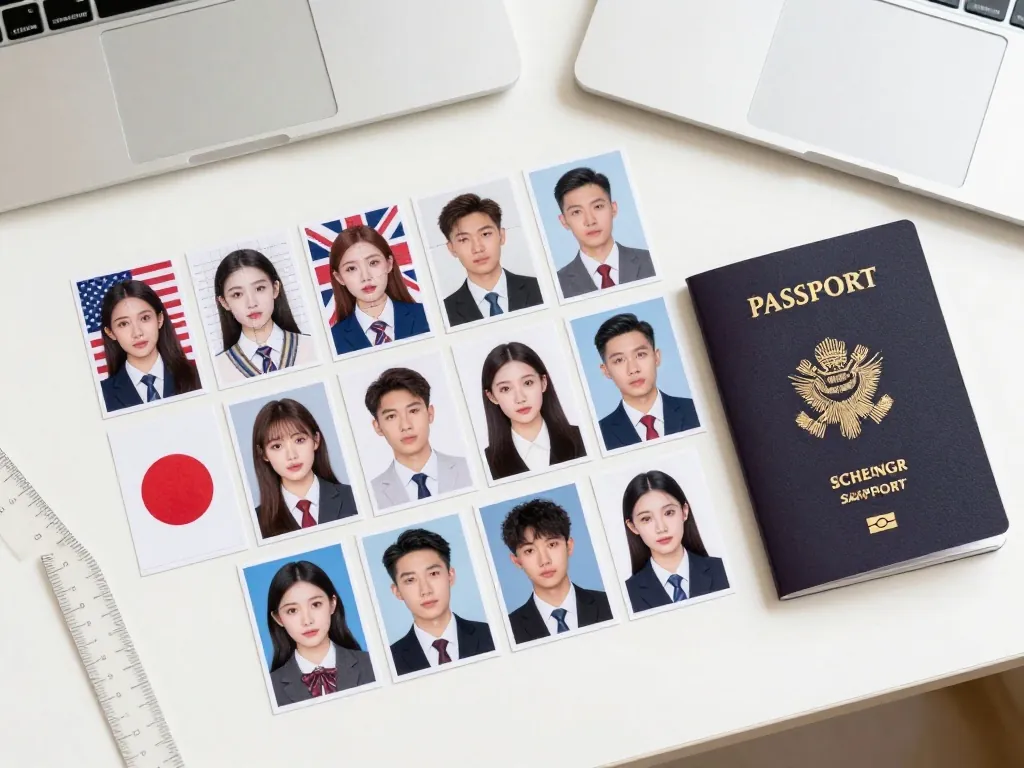
A bad passport photo can delay your application by weeks. This 2026 guide covers the right size, background, lighting, expression, and digital file specs (pixels plus KB limits), so you get it right the first time. Rules changed recently: India switched to 35 × 45 mm in 2025, Germany went terminal-only, and the US banned AI face edits.
Rules that apply almost everywhere
Nearly every country shares these five. Check them first, then look up your country’s specific dimensions below.
Size
Four sizes cover most of the world:
- United States, Philippines and others: 2 × 2 inches (51 × 51 mm).
- United Kingdom, India, Germany, France, Australia and most of Europe: 35 × 45 mm.
- Bangladesh and some South Asian countries: 45 × 55 mm.
- Canada: 50 × 70 mm.
Confirm your own country’s figure before printing. A wrong size means a rejected application.
Background
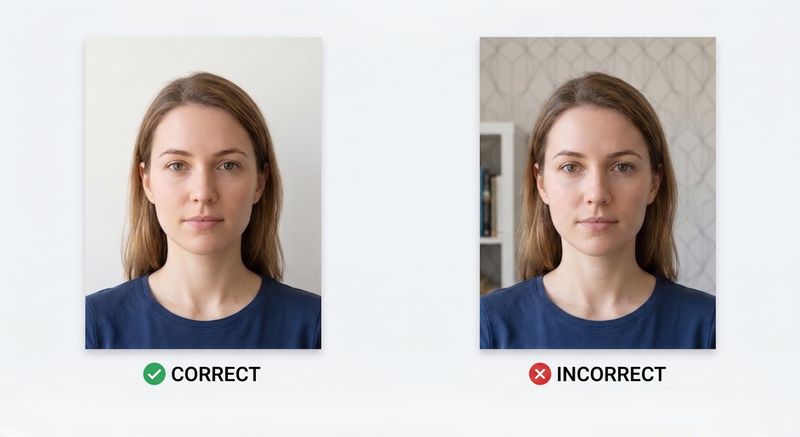
Use a plain white or off-white background. No patterns, no objects, no other people. But don’t assume white everywhere: the UK wants cream or light grey (not white) for paper applications, India enforces pure white only (off-white gets rejected by the Passport Seva luminance check), and New Zealand requires a non-white background, since pure white fails there. Check your country’s exact shade.
Lighting
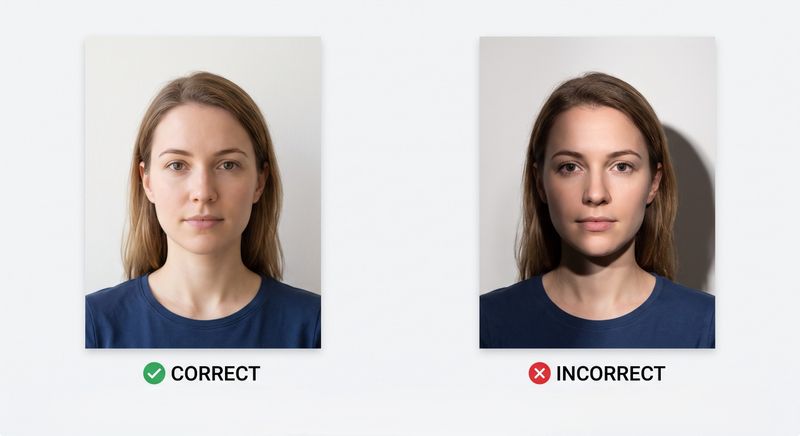
Use soft, even light. Stand facing a window during the day. No harsh shadows on your face or on the wall behind you. No flash glare in your eyes.
Expression and Pose
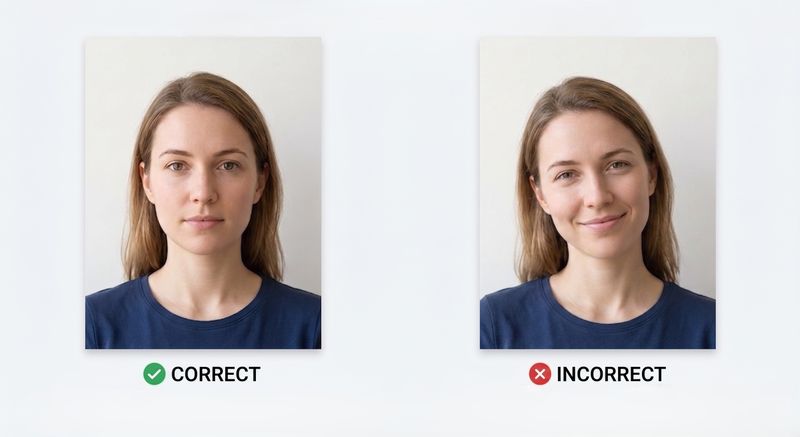
Keep a neutral face: mouth closed, eyes open, no smiling. Look straight at the camera. Don’t tilt your head. Keep your face centered in the frame.
Glasses and Headwear
Most countries ban glasses in passport photos, including the US, UK, India and Australia. Remove all glasses before taking the photo. You can wear head coverings only for religious reasons, and your full face must be visible.
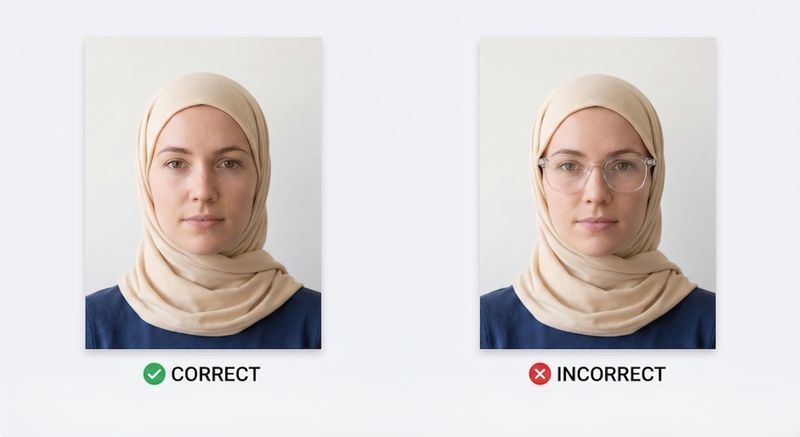
Do’s and Don’ts
✓ Do
- Use a plain white or light-coloured background.
- Use soft, even lighting from a window.
- Keep a neutral expression with mouth closed.
- Look straight at the camera.
- Remove glasses and non-religious headwear.
✗ Don't
- Smile, frown, or make funny faces.
- Wear glasses or sunglasses.
- Use a coloured or patterned background.
- Take a selfie at arm's length.
- Use filters or edit your photo.
Passport Photo Requirements by Country
Here is a quick comparison of photo sizes for the most popular countries:
| Country | Passport Size | Background | Head Height |
|---|---|---|---|
| United States | 2 × 2 in (51 × 51 mm) | White or off-white | 25–35 mm |
| United Kingdom | 35 × 45 mm | Grey or Cream | 29–34 mm |
| India | 35 × 45 mm | White | 25–35 mm |
| Bangladesh | 45 × 55 mm | White (grey for babies) | 29–34 mm |
| Canada | 50 × 70 mm | White | 31–36 mm |
| Australia | 35 × 45 mm | White, cream or pale blue | 32–36 mm |
| Germany | 35 × 45 mm | Light grey (passport) | 32–36 mm |
| France | 35 × 45 mm | Light grey or blue (passport) | 32–36 mm |
| China | 33 × 48 mm | White | 28–33 mm |
| Japan | 35 × 45 mm | White | 32–36 mm |
US Passport Photo Size and Rules
The US requires a 2 × 2 inch (51 × 51 mm) photo with a white or off-white background. Pure white #FFFFFF is not accepted. Your head must be 1–1.375 inches (25–35 mm) tall. No glasses allowed. The photo must be taken within the last 6 months.
Official US requirements: travel.state.gov
UK Passport Photo Size and Rules
The UK requires a 35 × 45 mm photo with a cream or light grey background. Your head must be 29–34 mm tall. No glasses. No smiling. The photo must be taken within the last month.
Official UK requirements: gov.uk
EU / Schengen Visa Photo Rules
Most EU and Schengen countries use 35 × 45 mm and a head height of 32–36 mm, but the background is not one size fits all: Germany and France ask for a light grey passport background (Germany and France accept white or off-white for visas), while many other countries want white. No glasses. Neutral expression. The photo must be taken within the last 6 months.
Canada Passport Photo Rules
Canada requires a 50 × 70 mm photo with a plain white background. Your head must be 31–36 mm tall. No glasses. The photo must be taken within the last 6 months.
Official Canada requirements: canada.ca
Online portals check pixels and file weight
Paper size covers only half of it. Online portals also reject files that fail pixel or file-size checks, even when the composition is perfect:
- US DS-160 visa: JPEG only, 600 × 600 to 1200 × 1200 px, square, under 240 KB. Phone photos (3–10 MB) and iPhone HEIC files are rejected. Convert to JPEG and compress under 240 KB first.
- India Passport Seva: JPEG exactly 630 × 810 px, 10–250 KB, pure white background, face covering 80–85% of the frame. 629 or 631 px wide fails the validator.
- UK online: JPEG, minimum 600 × 750 px, 50 KB–10 MB. Don’t pre-crop, because the GOV.UK flow crops for you.
- Pixel maths: 35 × 45 mm at 300 DPI = 413 × 531 px. US 2 × 2 in at 300 DPI = 600 × 600 px.
What Changed in 2025–2026
- India (Sept 2025, enforced Feb 2026): switched from the 2 × 2 inch square to 35 × 45 mm, pure white only, plus the exact 630 × 810 px digital rule. Old square photos are now rejected.
- Germany (May 2025): no more paper photos for passports. You must use a Bürgeramt terminal or certified photographer upload. Visa applications still use standard 35 × 45 mm prints.
- US (Jan 2026): AI face editing banned, which covers filters, retouching, eye-opening, or AI-generated images. Background replacement and geometric cropping are still allowed.
What gets photos sent back
The five causes, in the order offices cite them: wrong size for the country (US square against 35 × 45 rectangle), shadows on the face or background, smiling or an open mouth, glasses worn, head too small or too large (ICAO wants 70–80% of frame height; the US allows 50–69%), and digital files over the portal KB limit. Clear all five before submitting.
Shooting at home
A phone is enough. The setup takes about two minutes.
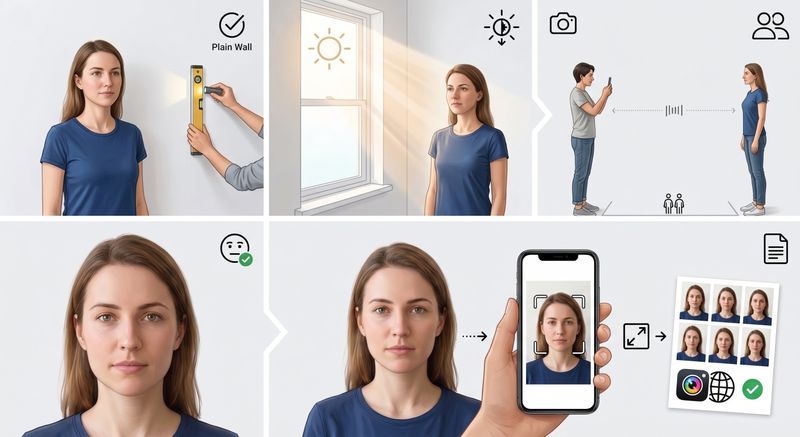
- Stand in front of a white wall. Make sure there are no shadows on the wall behind you.
- Face a window. Natural daylight is the best light for passport photos.
- Have someone take the photo. Stand about 1.5 metres (5 feet) away. The camera should be at your eye level. Don’t take a selfie.
- Keep a straight face. Mouth closed, eyes open, no smiling.
- Use PicToPassport. Upload your photo and the tool will crop, resize, and format it to your country’s rules.
Photographing a baby
Babies are the hardest subject on this page, because they will not hold a position for you.
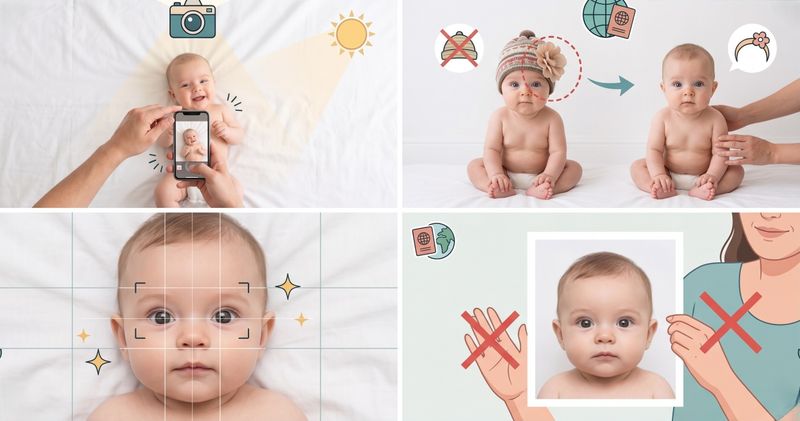
- Lay the baby on a white sheet. If the baby can’t sit up, put them on their back on a white surface and take the photo from above.
- Remove hats and headbands. The baby’s full face must be visible.
- Open eyes if possible. Some countries (like the UK) allow closed eyes for babies under 1 year old.
- No one else in the photo. Even if you’re holding the baby, only the baby should be in the frame.
Frequently Asked Questions
Can I smile in my passport photo?
No. Most countries require a neutral expression — mouth closed, no smiling. A slight smile might be okay in some places, but it's safest to keep a straight face.
Can I wear glasses in a passport photo?
No. The US, UK, India, Australia, and most other countries ban glasses in passport photos. Take them off before the photo.
Can I wear makeup in a passport photo?
Light, natural makeup is usually fine. Heavy makeup, contouring, or filters that change how you look are not allowed.
What color should the background be?
Plain white for most countries. Some accept light grey or light blue. Check your country's rules to be sure.
How old can my passport photo be?
Most countries require a photo taken within the last 6 months. The UK requires one from the last month.
Can I take my own passport photo?
Yes. Use your phone, stand in front of a white wall with good light, and have someone take the photo at eye level. Then use PicToPassport to get the size right.
What size is a passport photo?
It depends on the country. The US uses 2 × 2 inches (51 × 51 mm, 600×600px at 300 DPI). Most of Europe uses 35 × 45 mm (413×531px). India now uses 35 × 45 mm with a 630×810px digital upload. Bangladesh uses 45 × 55 mm. Canada uses 50 × 70 mm. China uses 33 × 48 mm.
What is the difference between 35x45mm and 2x2 inch passport photos?
35×45mm is a portrait rectangle used by the UK, EU, Australia and most countries. 2×2 inches (51×51mm) is a square used only by the US, Philippines and a few others. They are not interchangeable — a US photo will be rejected for a UK application and vice versa.
What are the DS-160 digital photo requirements?
DS-160 needs JPEG, 600×600 to 1200×1200 pixels, square, under 240KB. Phone photos (3–10MB) and iPhone HEIC files are rejected — convert to JPEG and compress under 240KB before uploading.
What is India's new 2025 passport photo rule?
Since September 2025 (enforced February 2026), India uses 35×45mm instead of the old 2×2 square. The Passport Seva portal requires JPEG exactly 630×810 pixels, 10–250KB, pure white background, face covering 80–85% of the frame.
Why was my passport photo rejected?
Top reasons: wrong size for the country, shadows on face or background, smiling or open mouth, glasses worn, head too small or too large in frame, and digital files over the portal KB limit (e.g. DS-160 240KB). Check size, background, expression and file specs before resubmitting.
Can I use the same photo for US and UK or EU applications?
No. The US needs square 2×2 inches with a white or off-white background — not pure white #FFFFFF; the UK/EU need portrait 35×45mm (UK wants grey or cream, not white). Head-height ranges also differ. Make one compliant photo per country with PicToPassport.
What pixel size is a 35x45mm photo at 300 DPI?
35×45mm at 300 DPI equals 413×531 pixels. A US 2×2 inch photo at 300 DPI equals 600×600 pixels. Always export at 300 DPI minimum for prints; portals check pixel dimensions, not DPI.
How do I take a passport photo at home?
Stand in front of a white wall with natural light from a window. Have someone take the photo from about 1.5 metres away, at your eye level. Keep a straight face. Then upload to PicToPassport to crop and resize it.