


















Brazilian passport photos follow the rules set out by Gov.br, and this guide turns those rules into plain instructions. It covers the dimensions required for passport and visa prints, the background officials expect behind your head, the pose and expression you should hold, and the maximum age of a photo presented at the Polícia Federal. Read the sections that follow and you will know how a compliant photo should look before you take one. PicToPassport prepares that photo in your browser and leaves the original untouched on your device.
Why Brazilian passport photos are refused
Gov.br checks each Brazilian passport photo against the 50 mm × 70 mm print size and a chin-to-crown head height of 32 mm – 36 mm, over a plain white background with nothing visible behind you. A photo that falls outside those measurements comes back rejected, and you start the in-person step again with a new print. Confirm the frame and head height before you hand anything to the Polícia Federal.
Brazilian passport photo dimensions explained
A Brazilian passport or visa photo measures 50 mm wide by 70 mm tall, and the ID card format is smaller at 35 mm × 45 mm. On the passport print, the head must measure 32 mm – 36 mm from chin to crown, taken on the same 50 mm × 70 mm frame. All figures are in millimeters: print at actual size, because a scaled-down sheet will not match the specification the Polícia Federal expects.
If you are moving between two sizes, resize rather than crop and hope: Photo Resizer
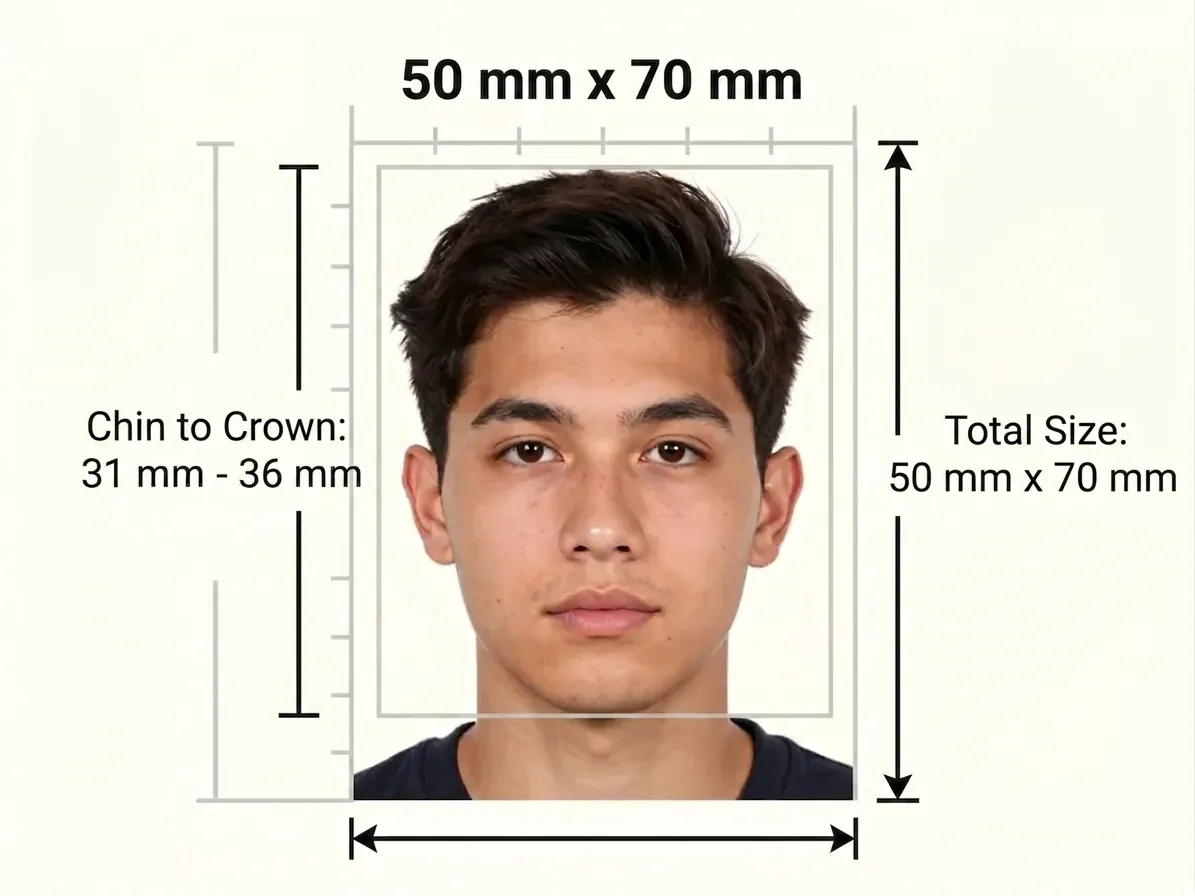
Plain white background behind the head in Brazil
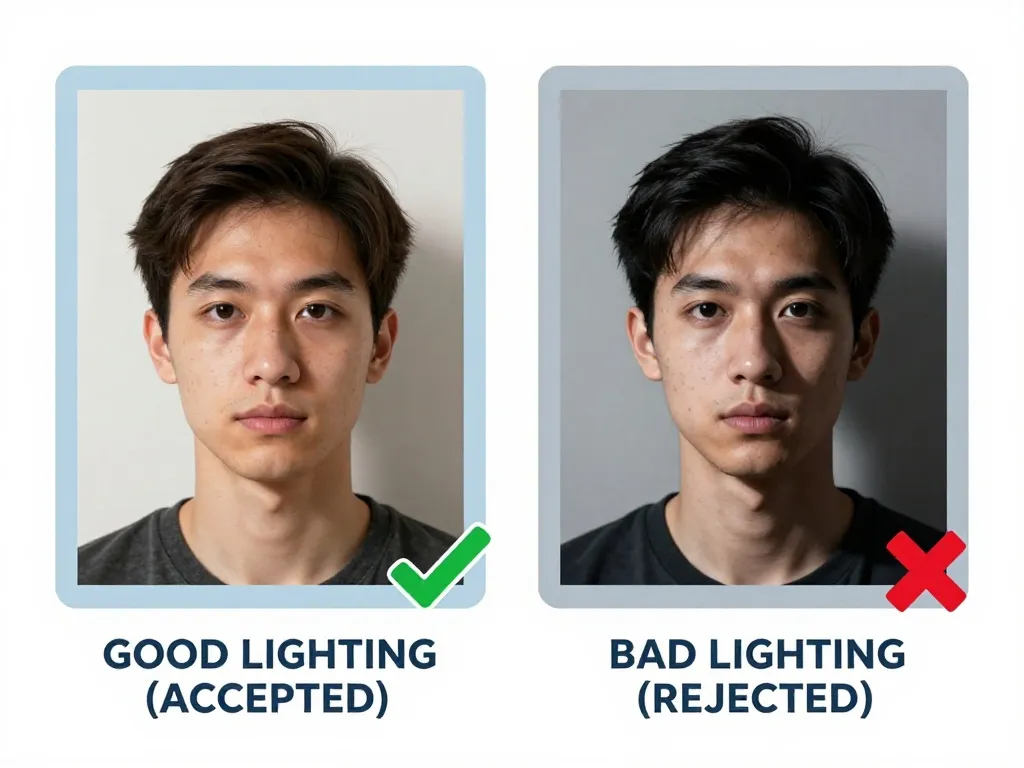
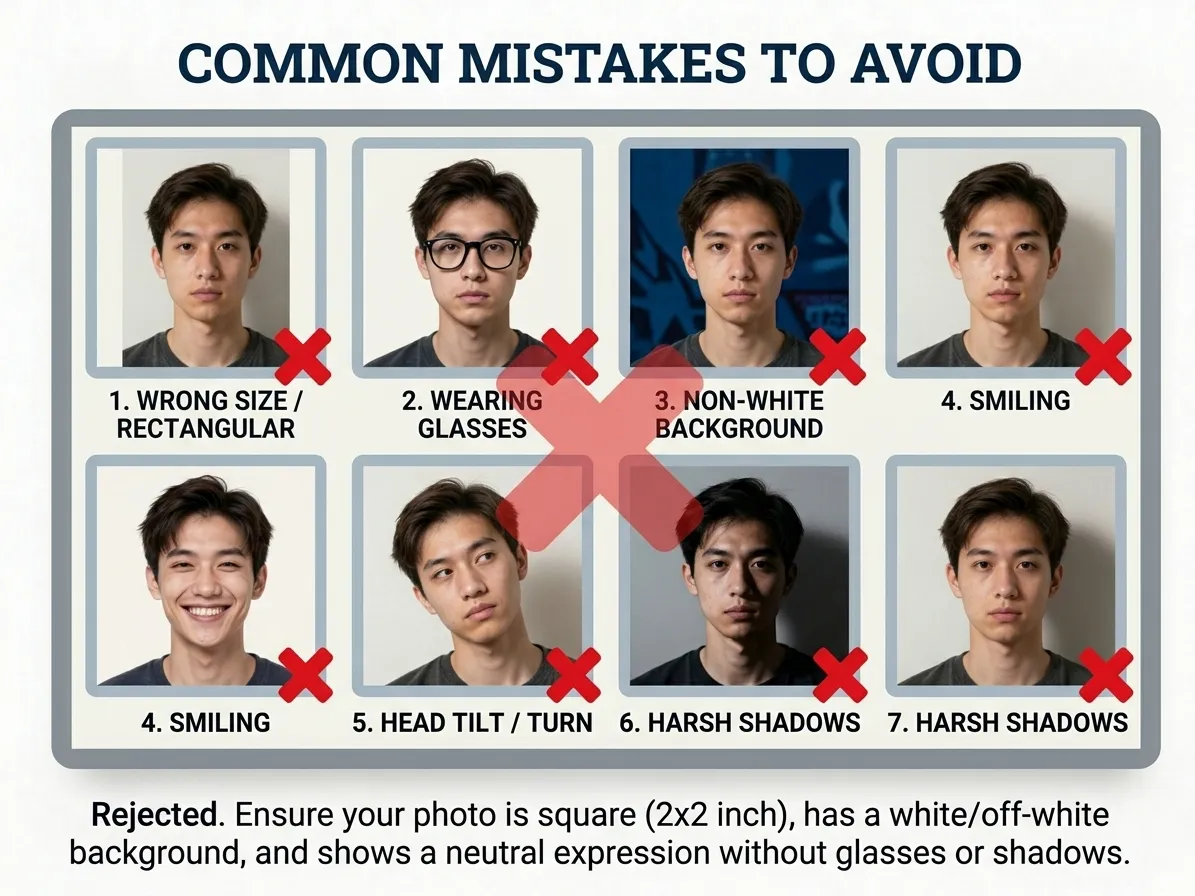
Brazilian passport photos require a plain white background: no pattern, no texture, and no object appearing behind the head. Set yourself against a smooth white surface and keep the light flat behind you, so the wall reads as one tone from edge to edge. A colored wall, a textured curtain or a dark outline around your shoulders all fall short of the white that Gov.br specifies.
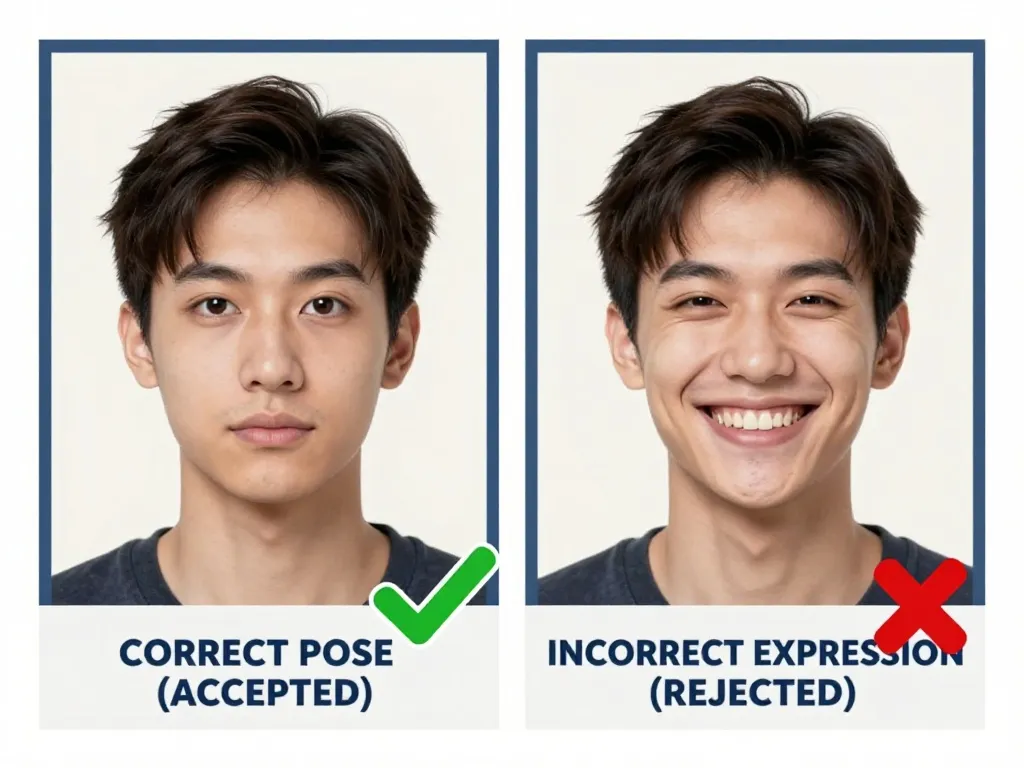
Brazilian passport photos need a neutral expression
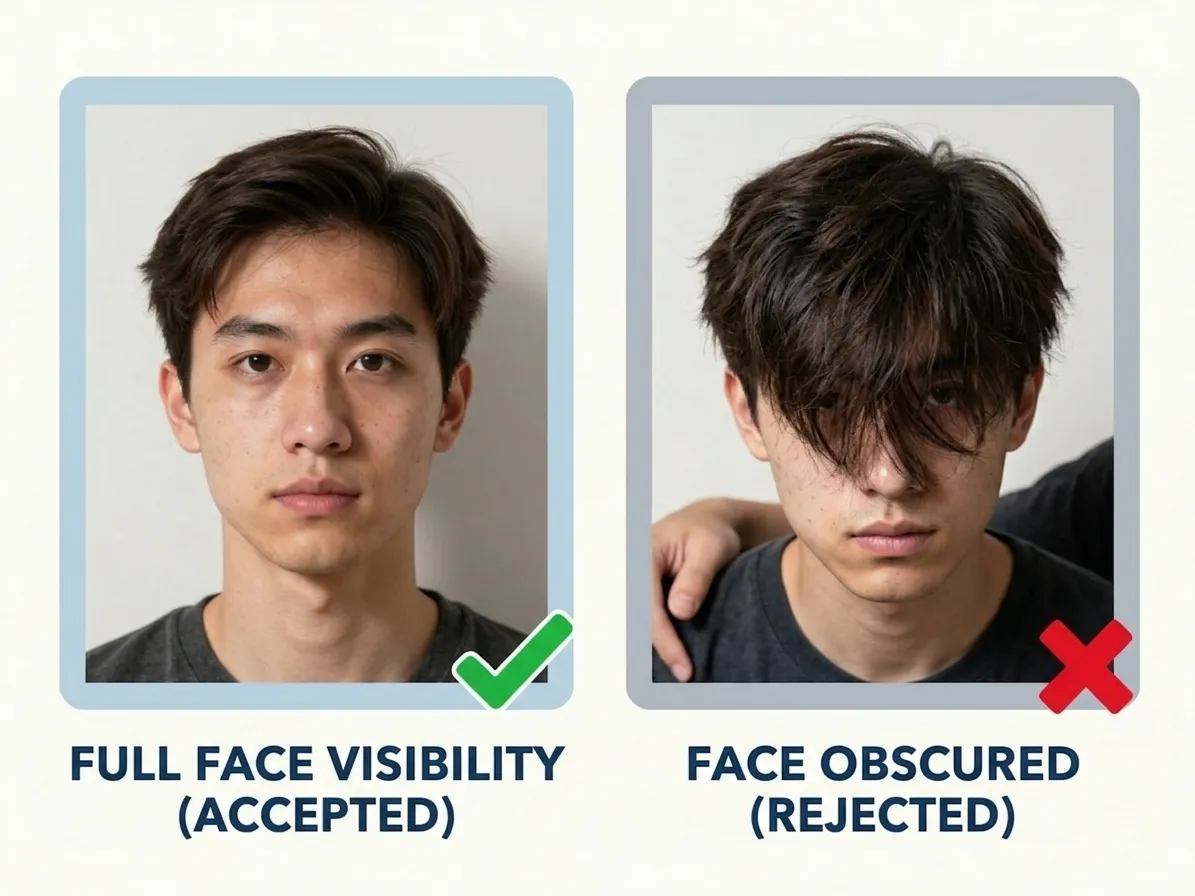
A Brazilian passport photo is taken straight on: neutral expression, mouth closed, eyes looking directly into the camera, head not tilted in any direction. No glasses are permitted — not prescription, not reading, not sunglasses — so attend without them or wear contact lenses. The Polícia Federal compares the print with the person at the counter, and anything that distorts the natural outline of the face, including heavy glare on the skin, puts the application at risk.
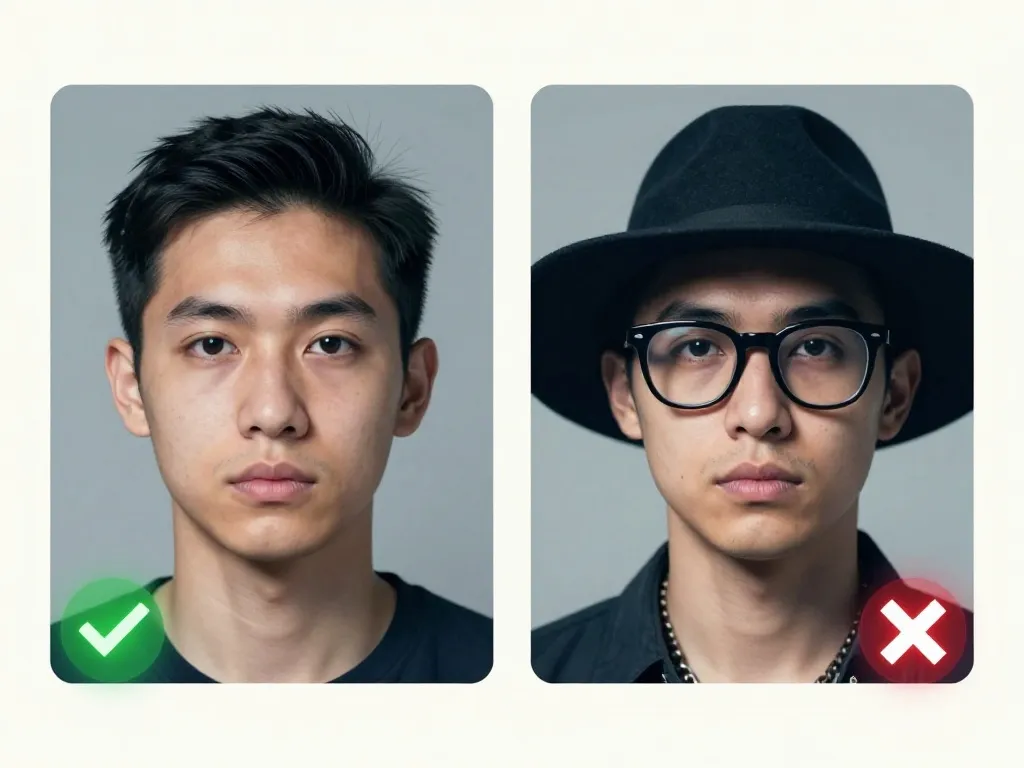
Removing glasses for a Brazilian passport photo
Gov.br does not allow glasses in a passport photo — the rule admits no exception: prescription, sunglasses and reading glasses all stay off your face for the capture. With the lenses gone, look straight at the camera with a neutral expression and your mouth closed, so nothing between the frame and your eyes obscures the face officials need to match to you.
Chin-to-crown face height in a Brazilian passport photo
Brazil's frame is unusually tall: 50 mm × 70 mm, with the head measured chin to crown at 32 mm to 36 mm. That leaves generous space above and below the head, which is exactly what examiners check — a tightly cropped portrait that fills the print fails even when the face itself looks right. Keep the full face visible and front-on against plain white, and remember the Brazilian ID card format is the smaller 35 mm × 45 mm.
Brazilian passport photos no older than 6 months
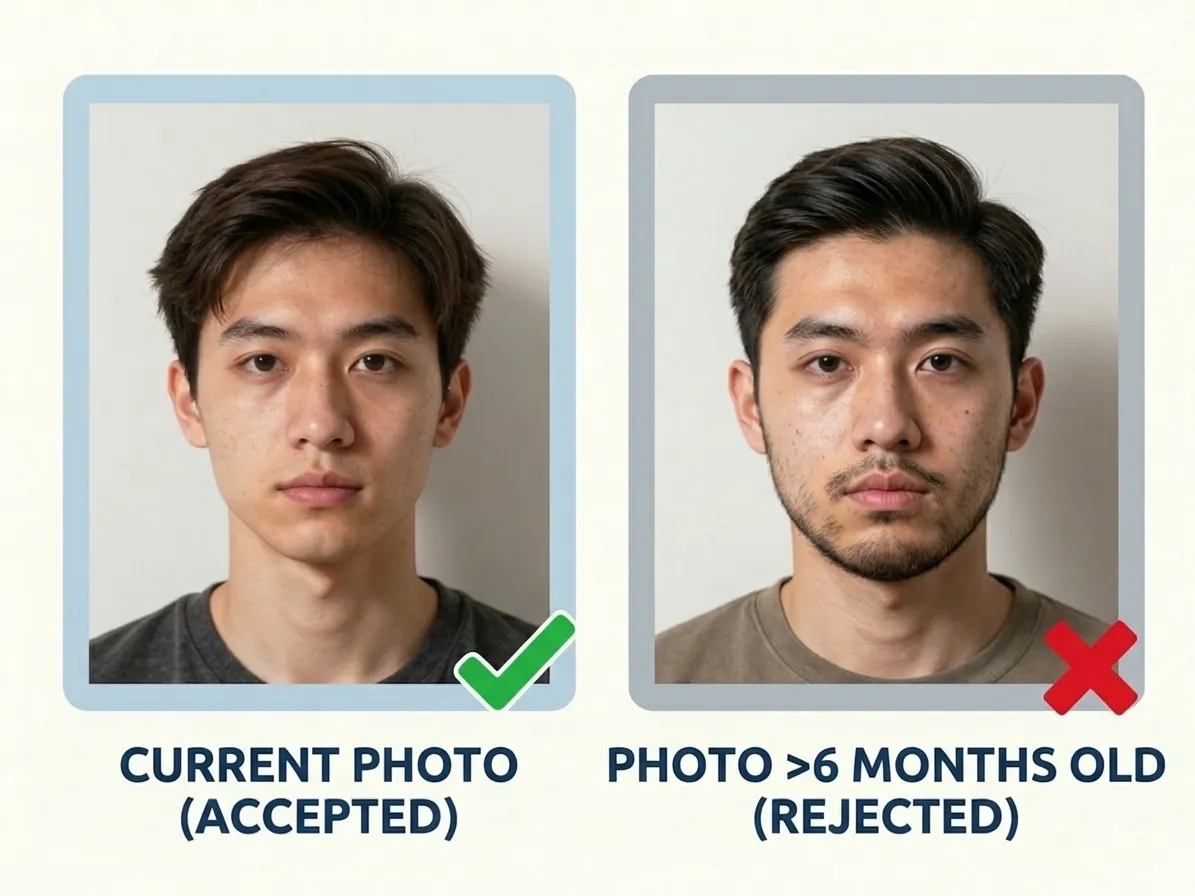
Brazil asks for a photo taken within the last six months, and the passport is then issued for a long validity, which makes reuse tempting. The image has to represent the applicant on the day they appear before the Polícia Federal, so a print that predates a shaved beard, a new hairstyle or a change in weight is refused regardless of how well it was framed. Shoot close to the appointment date.
How many photos for a Brazilian passport application
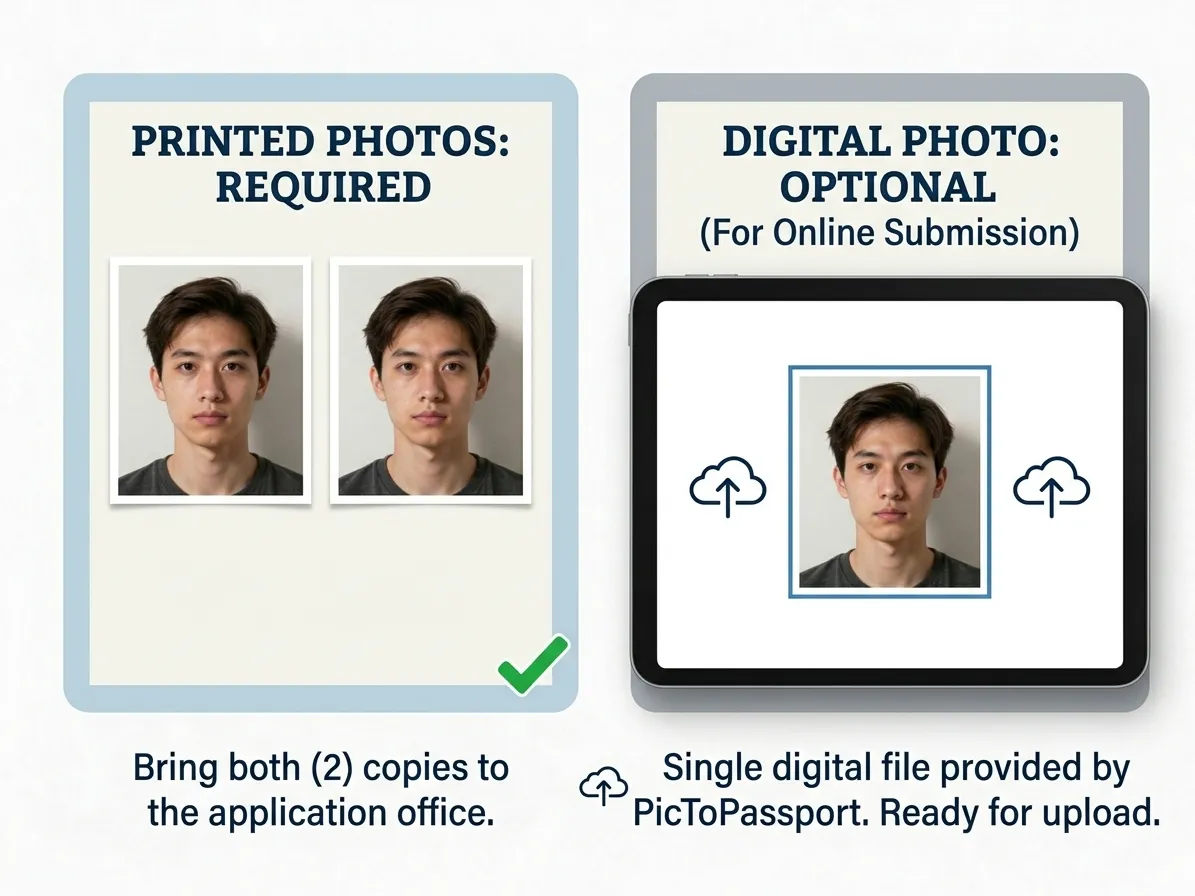
Two photos go with a Brazilian passport application, handed over in person at the Polícia Federal — photo-quality prints, not a page from a home printer if you can avoid it. Match the copies to each other so the pair looks like one shooting session, and check both sheets before you travel to the counter. Extra prints cost little compared with repeating the visit for a mismatched set.
A photo shop charges for the layout as well as the ink, so build the sheet first: 4x6 Passport Photo Print Sheet
Why Brazilian passport photos get rejected
A photo that passes review can still be ruined on the way to the counter: print shops that shrink the sheet to fit their paper, screenshots grabbed from a preview window, or files that have been forwarded through a chat app and quietly re-compressed. Even an older print from a previous application will not match your current appearance. Compare the finished photo against the spec table before submitting it.
Portals reject the right photo in the wrong file type, so check the extension first: Convert Image Format
Newborn passport photos for Brazilian families
Brazil publishes no separate infant specification, so the working method is the standard one inside the same 50 mm × 70 mm frame: plain white background, head centred, chin to crown near 32 mm. Lay the child on a white sheet and shoot from directly above in soft daylight, since flash causes the squint that ruins the eyes-open requirement. Keep other people's hands, toys and dummies out of the picture, and print two copies from the best take.
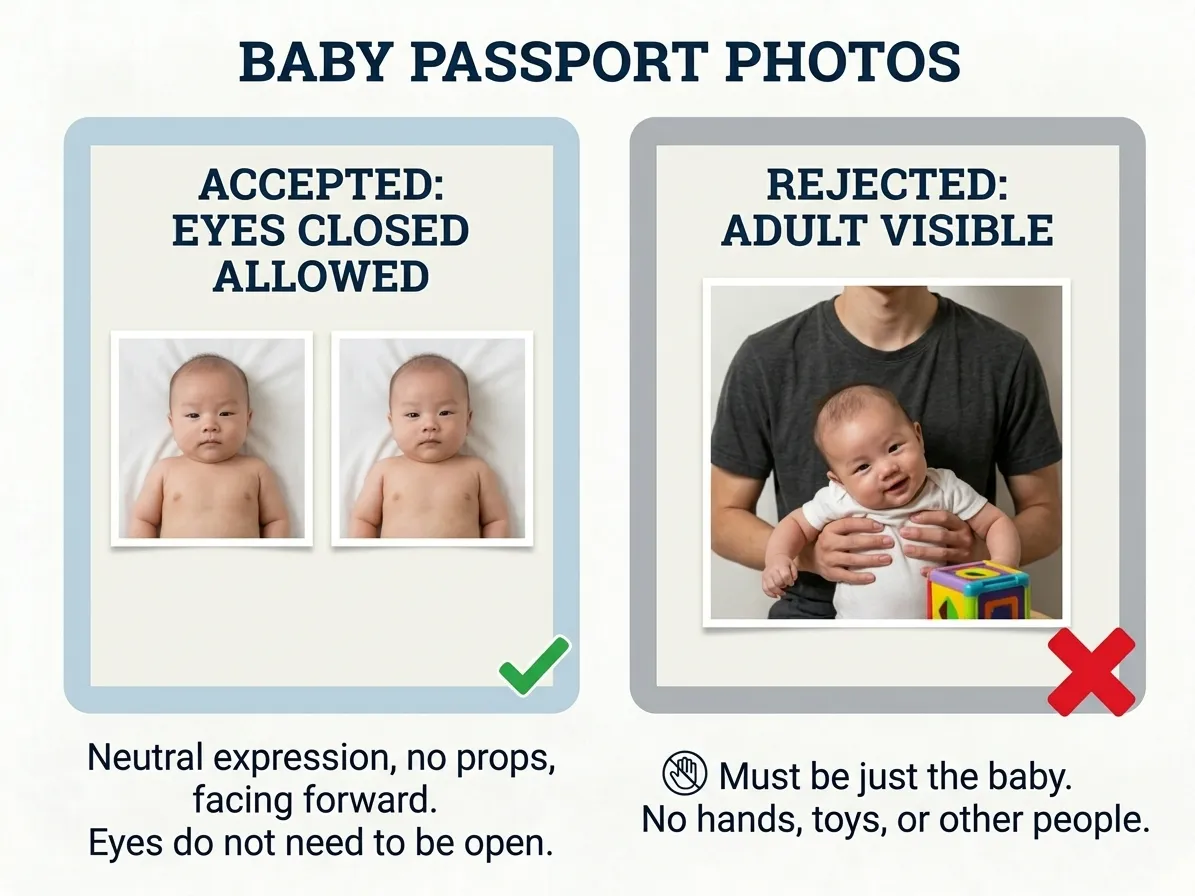
PicToPassport frames your Brazilian passport photo
PicToPassport sizes a Brazilian photo to 50 mm × 70 mm for the passport and holds 35 mm × 45 mm in reserve for the ID card, all of it free and running in your browser. The background is forced plain white with no pattern, texture or object behind your head, and the result is print-ready for the 2 photos required at the Polícia Federal. No account and no upload: the picture stays on your own device.
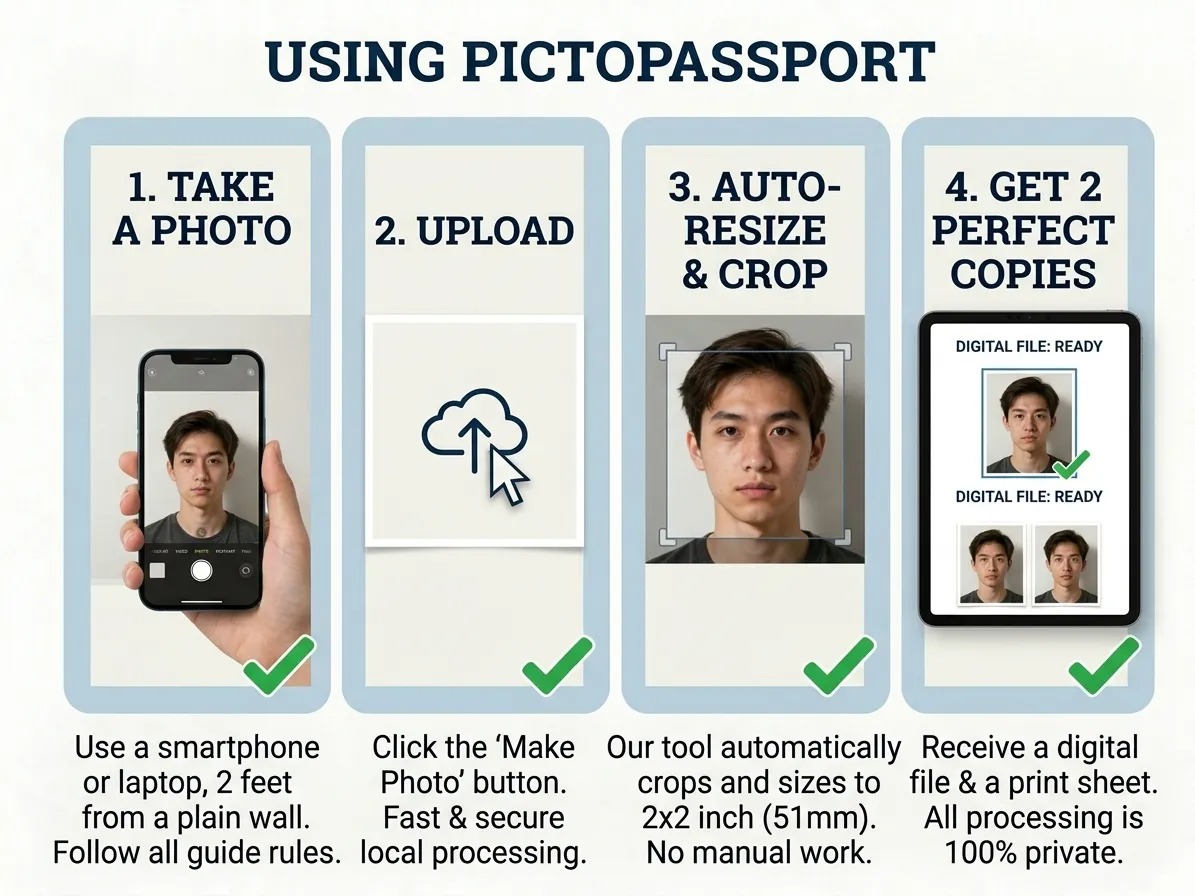
Make your Brazilian passport photo at home
Gov.br sets the standard passport fee at R$ 257,25, and urgent service adds R$ 77,17, totalling R$ 334,42; approved booklets arrive about 6 working days after approval. Make the photo itself before you lodge anything: PicToPassport is a free browser tool that frames you against the plain white background, keeps your picture private on your device, and sends nothing to a server.


