


















IRCC decides what a Canadian passport photo must look like, and this guide explains each part of that decision. The sections that follow cover the correct print size, the background accepted for submission, the pose and expression required, and the recency window your photos must fall within. You will also see what makes two prints identical and what information belongs on the reverse of one of them. With those rules in view, PicToPassport prepares a compliant photo in your browser, ready to print or upload.
Why Canada passport photo rules are strict
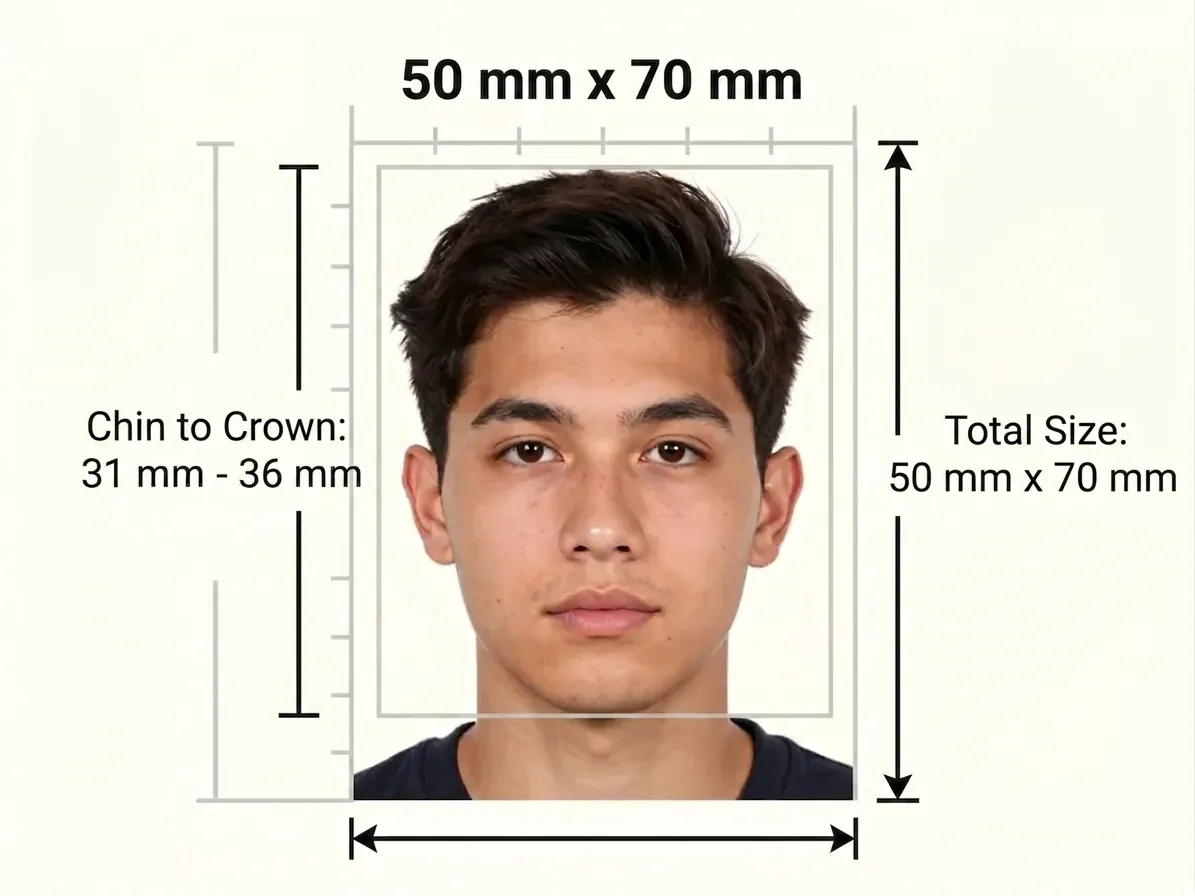
IRCC measures a Canadian passport photo to 50 mm × 70 mm, with the head at 31 mm – 36 mm from chin to crown on a plain white or light-colored background. Photos that break the frame, the head height or the background rule come back rejected, and a replacement print delays the whole submission. Checking those three points against the table now spares you a second round of printing.
Official Photo Size
Canada's passport photo is 50 mm wide by 70 mm tall, with a head height of 31 mm – 36 mm measured chin to crown inside that print. Visa and permanent resident card photos use the smaller 35 mm × 45 mm format instead. The two requirements are unrelated: a file prepared for one will not satisfy the other, so confirm which document you are applying for and measure accordingly in millimeters.
Getting the frame to land on the exact millimetre is the fiddly part: Photo Resizer
Background and Lighting
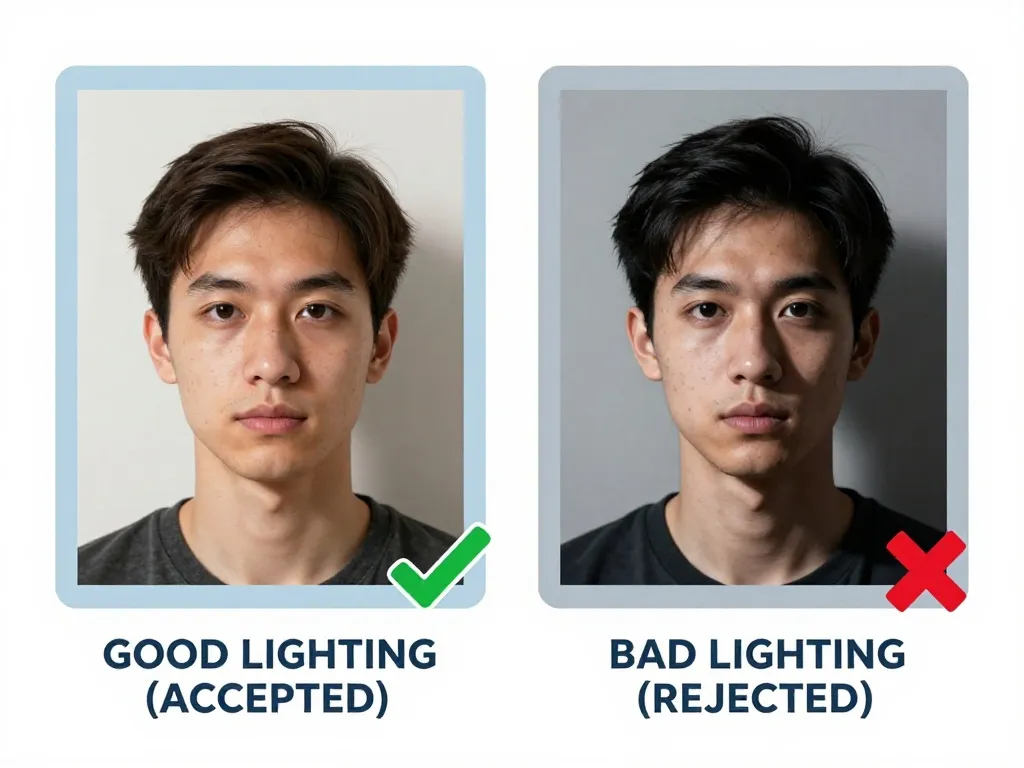
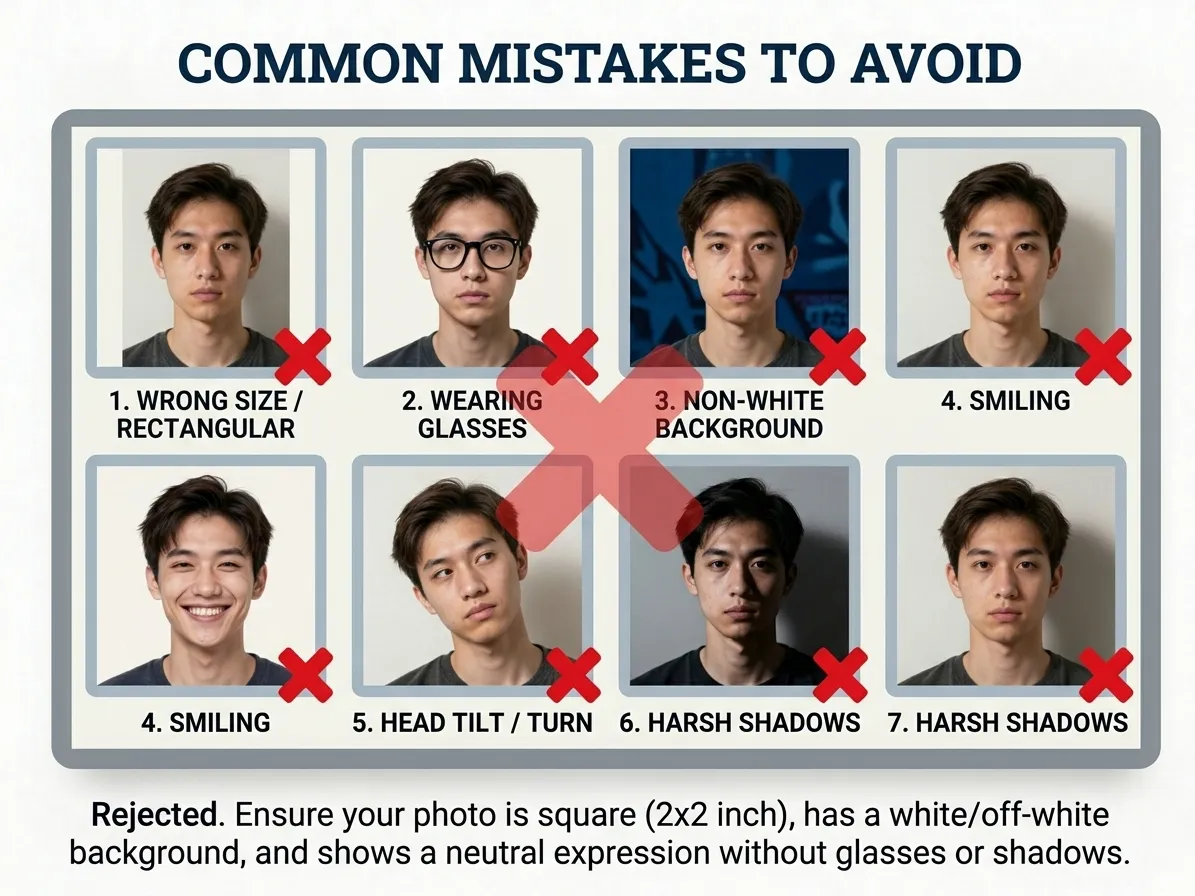
For Canada the backdrop must be plain white or a light color, with no patterns, textures or objects anywhere behind you. Even lighting matters as much as the shade: the surface should read as a single unbroken tone, without a corner line, a shelf edge or a shadow creeping in beside your head. Pick a light-colored wall away from clutter and shoot far enough back that nothing else enters the frame.
Expression and Pose
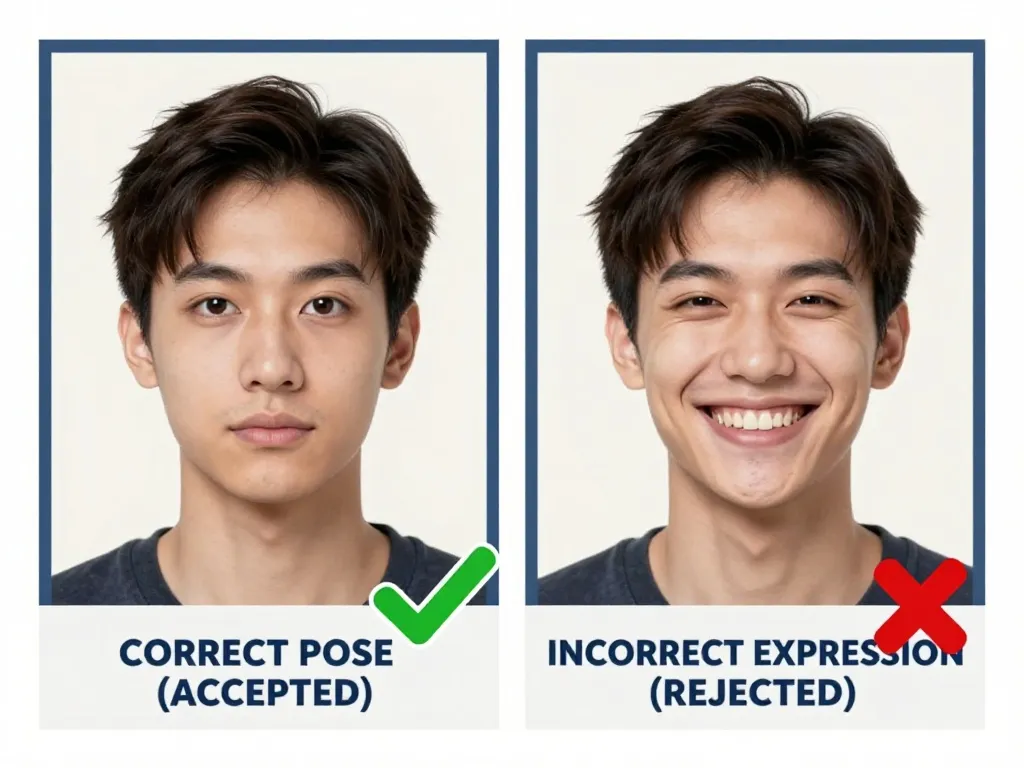
Canada requires a neutral expression with the mouth closed and the face looking straight at the camera, and glasses are simply not accepted — the ban is total, including prescription and reading glasses. Head coverings are allowed for religious or medical reasons provided the face reads clearly from chin to forehead. Because IRCC receives two identical prints, both must show the same expression, the same background and the same crop, with the photographer's details stamped on the back of one.
Glasses and Accessories
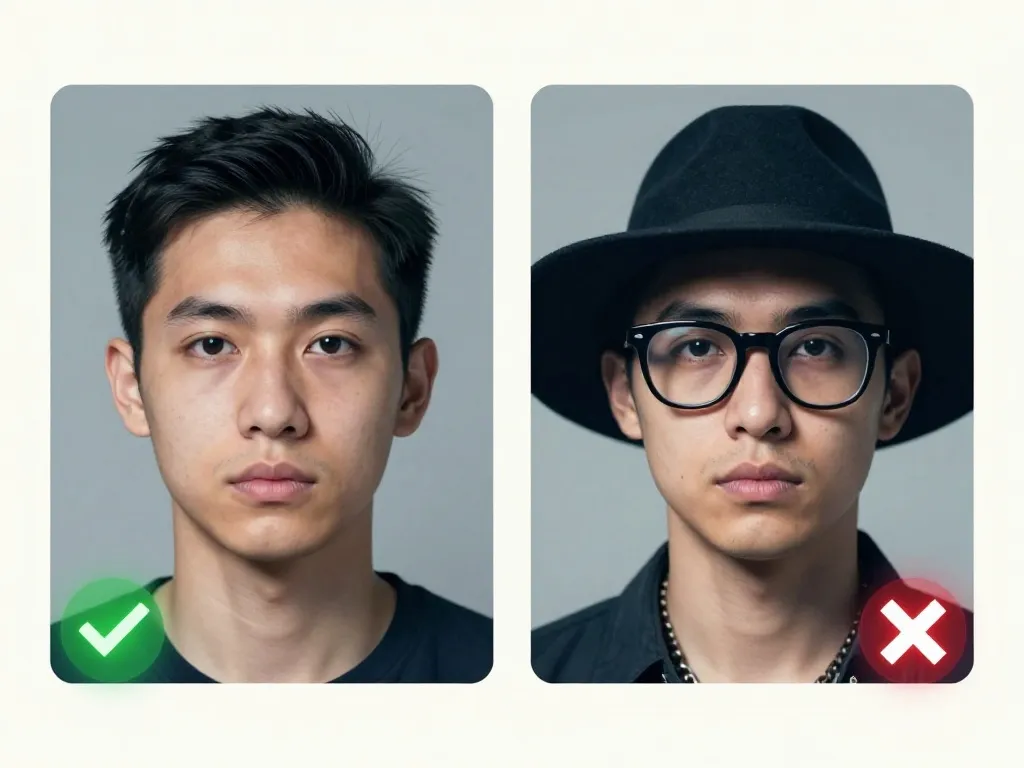
Glasses are not allowed in Canadian passport photos. This includes prescription glasses, sunglasses, and reading glasses. If you wear glasses for medical reasons, you may need to provide a medical certificate. Head coverings are permitted for religious or medical reasons, but the face must remain fully visible from chin to forehead. Hearing aids are allowed.
Face Visibility
Inside the 50 mm × 70 mm Canadian print, the head must measure 31 mm to 36 mm from chin to crown. The margin around the head is what applicants get wrong: the face must not crowd the top edge and the shoulders should sit low in the frame. Examiners also check that the background is plain white or light-coloured with no pattern, and that both prints are genuinely identical rather than two shots from the same sitting.
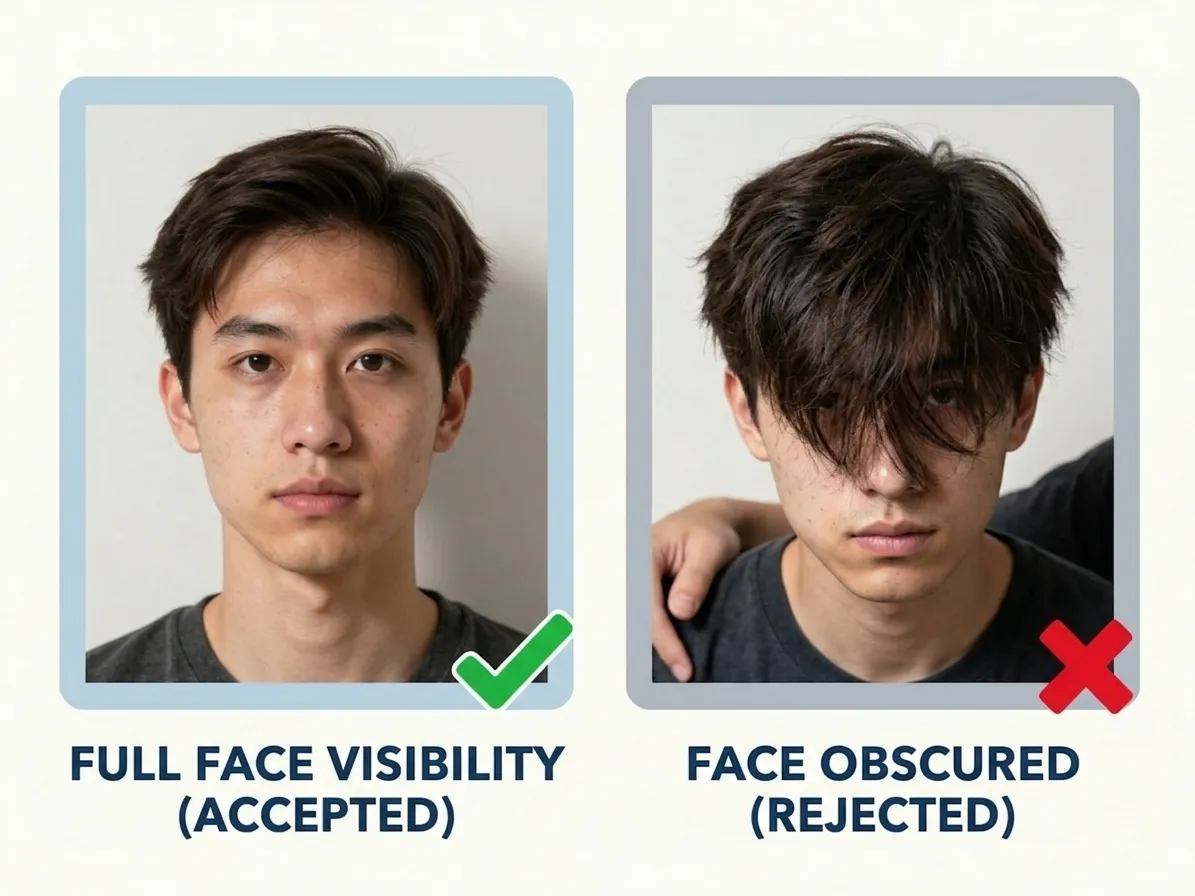
Photo Recency
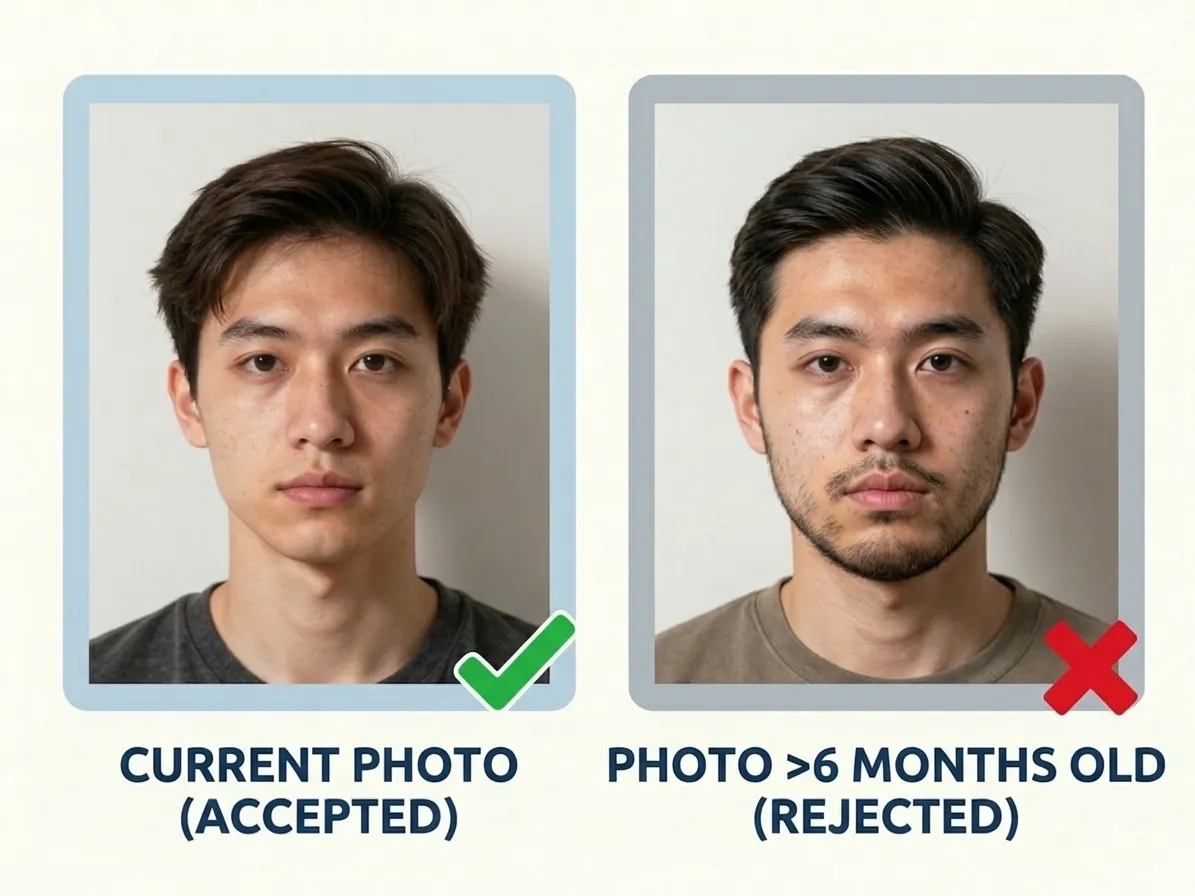
Canadian photos must have been taken within the last six months, because the image has to represent you accurately from collection through to the first border check. Reusing a print from a previous application is the fastest way to be asked for a new one, and any visible change since the print was made — different hair, a beard, weight change — makes it unusable regardless of its date. Shoot fresh, print twice.
How Many Copies You Get
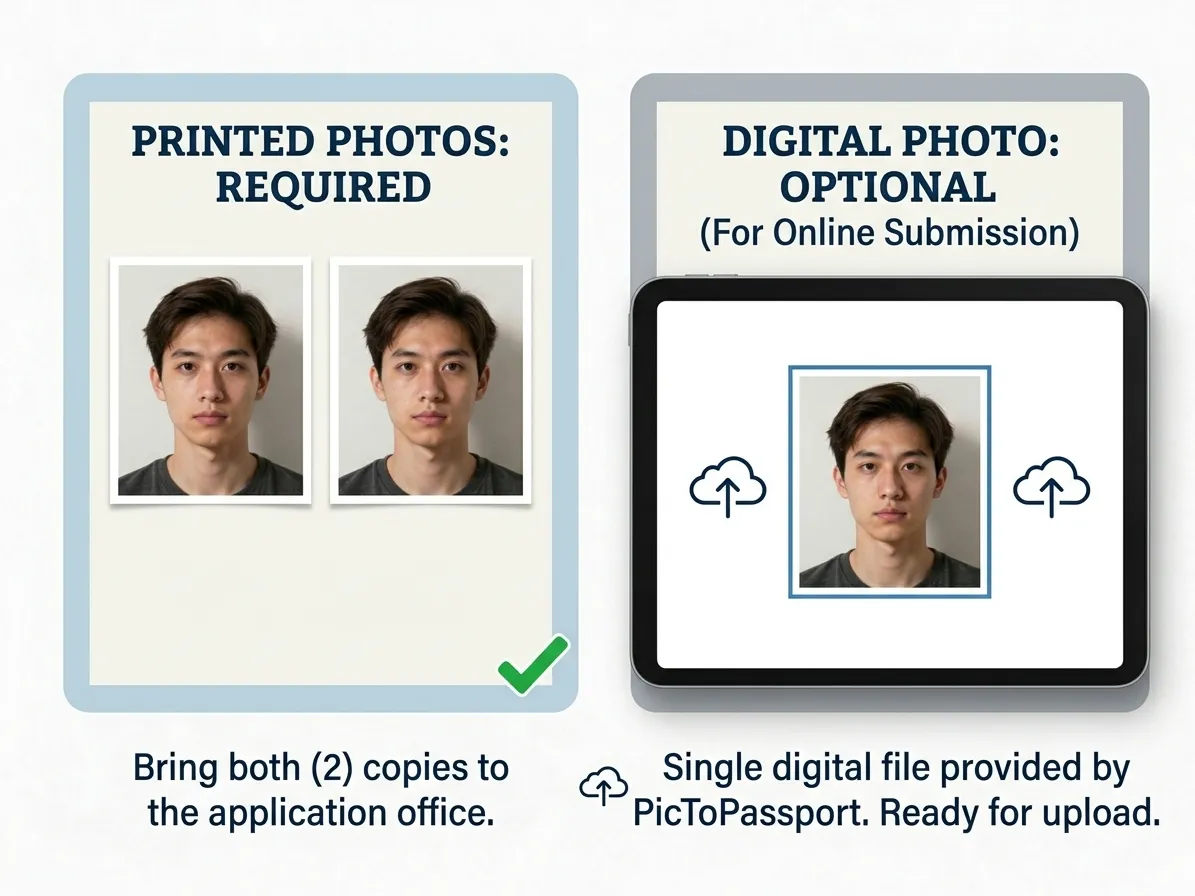
IRCC wants 2 identical photos for a Canadian passport, and one of them must carry the photographer's name, address and date on the back before submission. Print the pair together so they match exactly, then turn one over and add the studio details — a set without that annotation goes no further. If you order prints elsewhere, ask the shop to stamp the reverse rather than leaving it blank.
Printing them yourself? Lay the whole set out on one sheet: 4x6 Passport Photo Print Sheet
Common Mistakes to Avoid
Files get damaged between capture and submission: a browser print dialog that scales the 50 × 70 mm frame onto a smaller sheet, a photo taken of a laptop screen, or a message attachment that returns lower in quality than it left. Cropping an old photo to fit only recreates the problem at a different size. Open the spec table and check your photo against it before submitting.
Baby Passport Photos
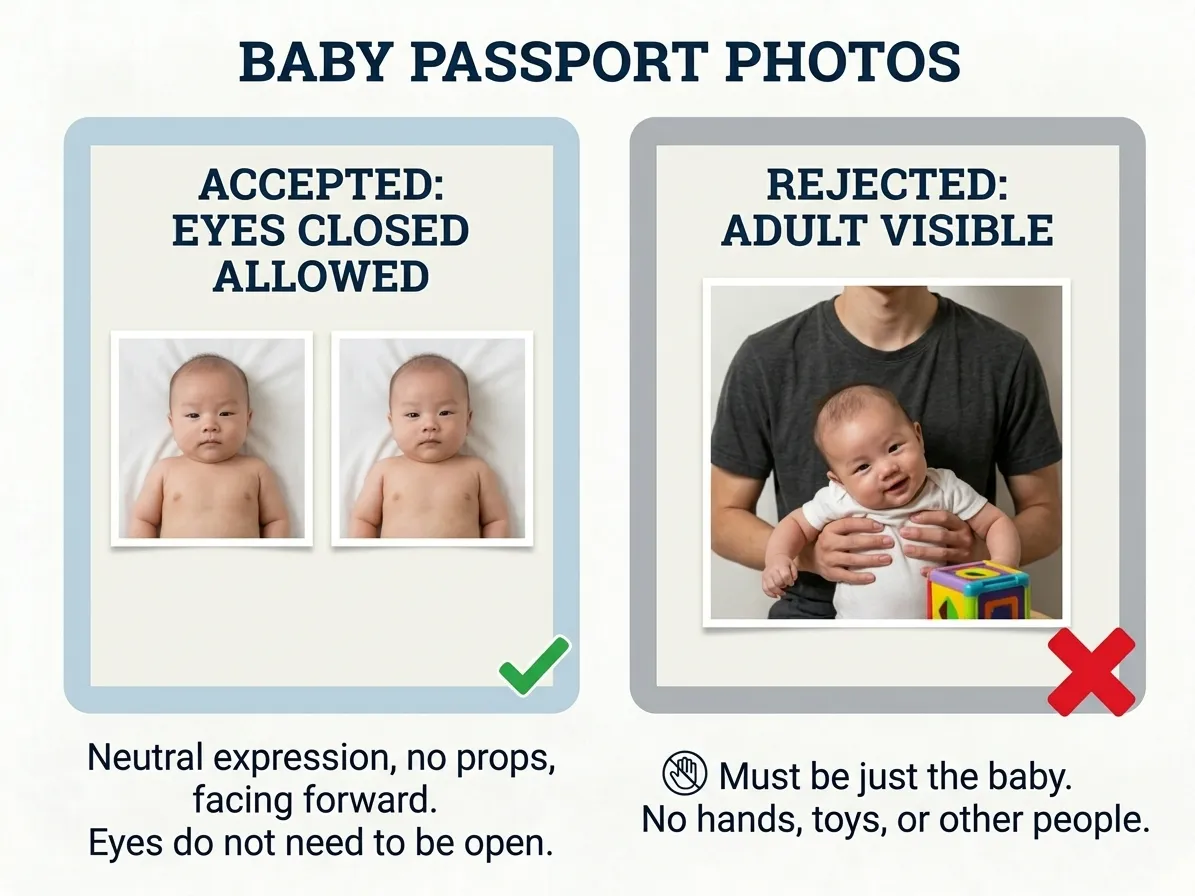
There is no separate infant size in Canada: a baby's photo occupies the same 50 mm × 70 mm frame with the head at 31 mm to 36 mm. Both eyes must be open, the mouth closed, and no other person may appear — which is why a parent's steadying hand cannot be in shot at all. Photograph the child lying on a plain light background from above in even daylight, then print two identical copies with the photographer's details on one.
A studio sitting rarely works with a newborn, and an infant-specific tool keeps the crop inside spec: Baby Passport Photo Maker
Using PicToPassport
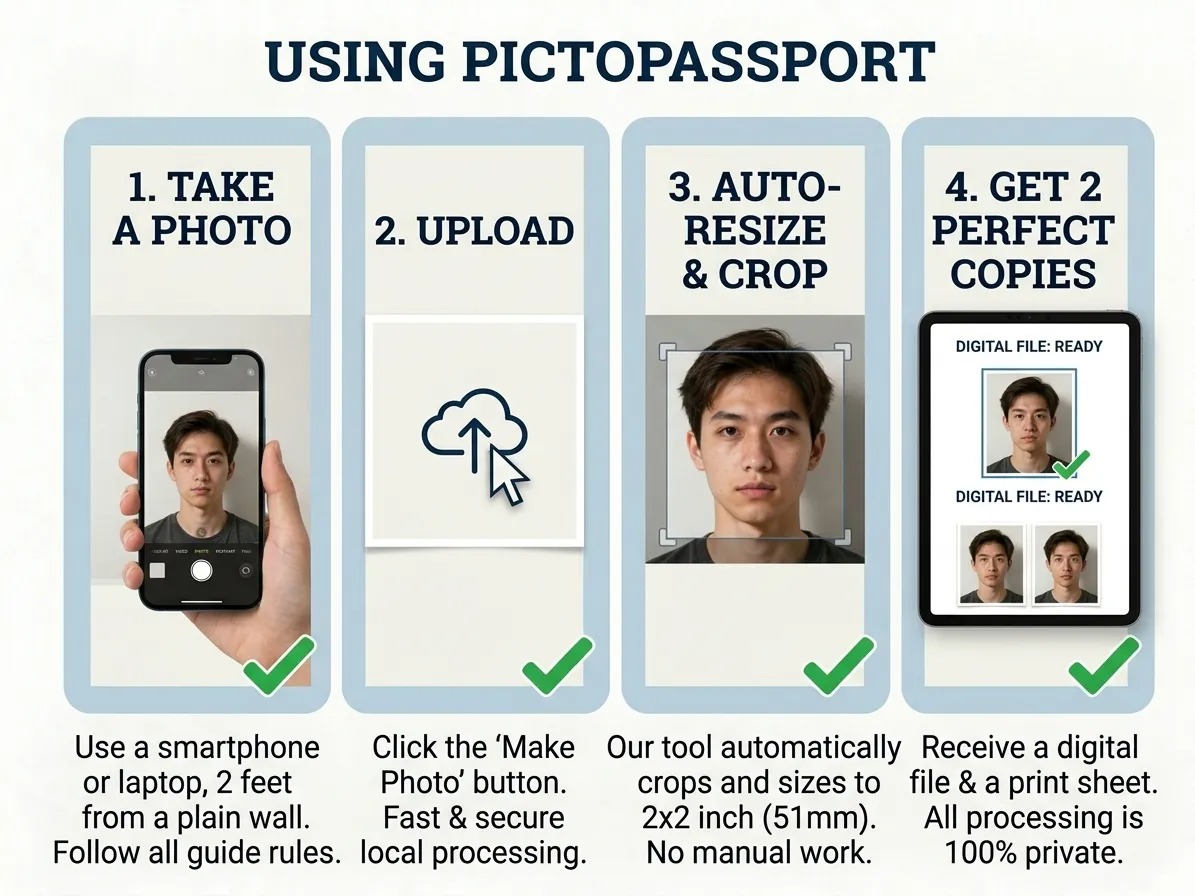
Load PicToPassport and it frames the shot at 50 mm × 70 mm for a passport, or 35 mm × 45 mm for a visa or permanent resident card, entirely on your own device. The background becomes plain white or light-coloured with no patterns, textures or objects, and the output covers both requirements: 2 identical photos, with the photographer's name, address and date printed on the back of one. It is free, browser-based, and involves no upload.
Get Started in Minutes
IRCC lists the 10-year adult passport at CAD $163.50 (on or after 31 March 2026), and it publishes no standard processing time — the official delivery-times page holds the current figures. Sort the photo while you wait: PicToPassport works free in the browser, sizes the print for you, keeps the image private on your device, and never sends it to a server.

